

Before you start
- An AI provider is connected. See AI provider & API keys.
- Editors need SEO Tools, Bulk Operations, and Bulk SEO Jobs. See Permissions.
- For the queue: a Scheduler task and a cron job that runs the Scheduler. See Scheduler.
Which way do I need?
Mass Optimize SEO
Mass Optimize SEO fills SEO data for many pages in one place. Open it with AI Assistant > SEO > Mass Optimize SEO.Step 1: AI Configuration
- AI Provider: the provider used for all pages.
- Number Of Suggestions: how many options the AI writes per field.
- Fields To Generate: Meta Title, Meta Description, Keywords, OG Title, OG Description. Each field can use its own prompt.
Step 2: Filters
Narrow down the page list by Page Title, SEO status (All SEO, Missing, Partial, Good), page type (Standard, Folder, External, Shortcut, Spacer), Language, and Page visible. Click Search, or Reset to clear the filters.Step 3: Select pages and run
Each row shows the page type, SEO Score, last modification, and whether it is in the queue. Then choose how to run it:- Optimize in a row, or tick several pages and click Start Optimization (n): T3AI generates now, in the browser. Click View result to check the output.
- Add to Queue in a row, or Add to Queue (n) for the ticked pages: a Scheduler task processes the pages later, one at a time.
Manage the queue
Click Manage Queue (n) in Mass Optimize SEO to open Manage Mass SEO Queue. It lists the queued pages. Tick pages and click Delete Selected (n) to remove them from the queue, or use the delete icon in a row.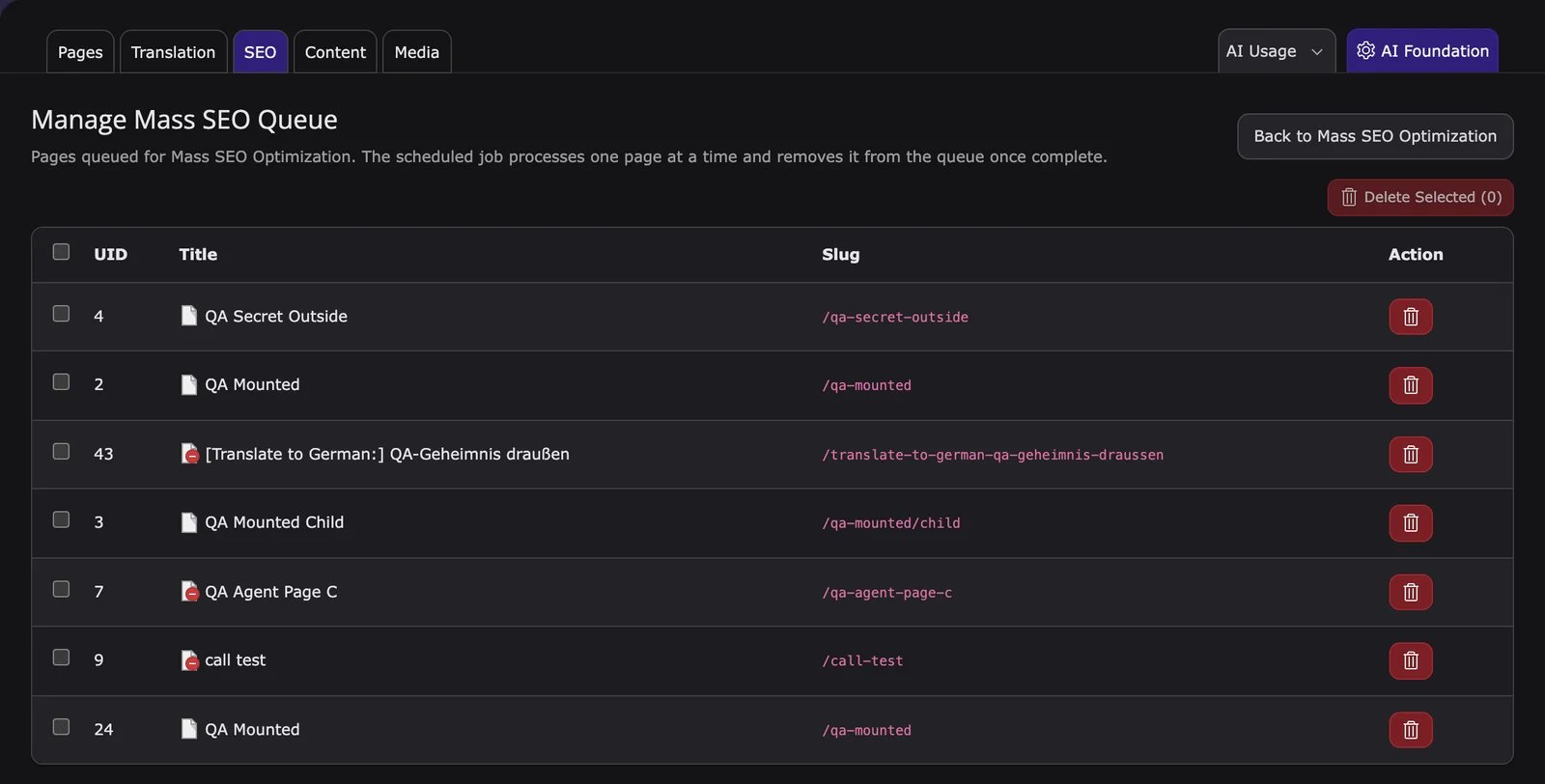
Scheduler
The queue is only processed by the Scheduler:- In the Scheduler module, create the task T3AF: Mass SEO Optimization (queue). On TYPO3 v13, create an Execute console commands task with the command
t3af:bulk:seo-optimize. - Choose the SEO fields to generate, the limit per run, and optionally the provider. Dry run generates without saving.
- Make sure a cron job runs the TYPO3 Scheduler on the server.
--fields, --limit, --page, --provider, --model, and --dry-run. Composer and non-Composer examples: Scheduler & CLI.
Page wise Mass SEO
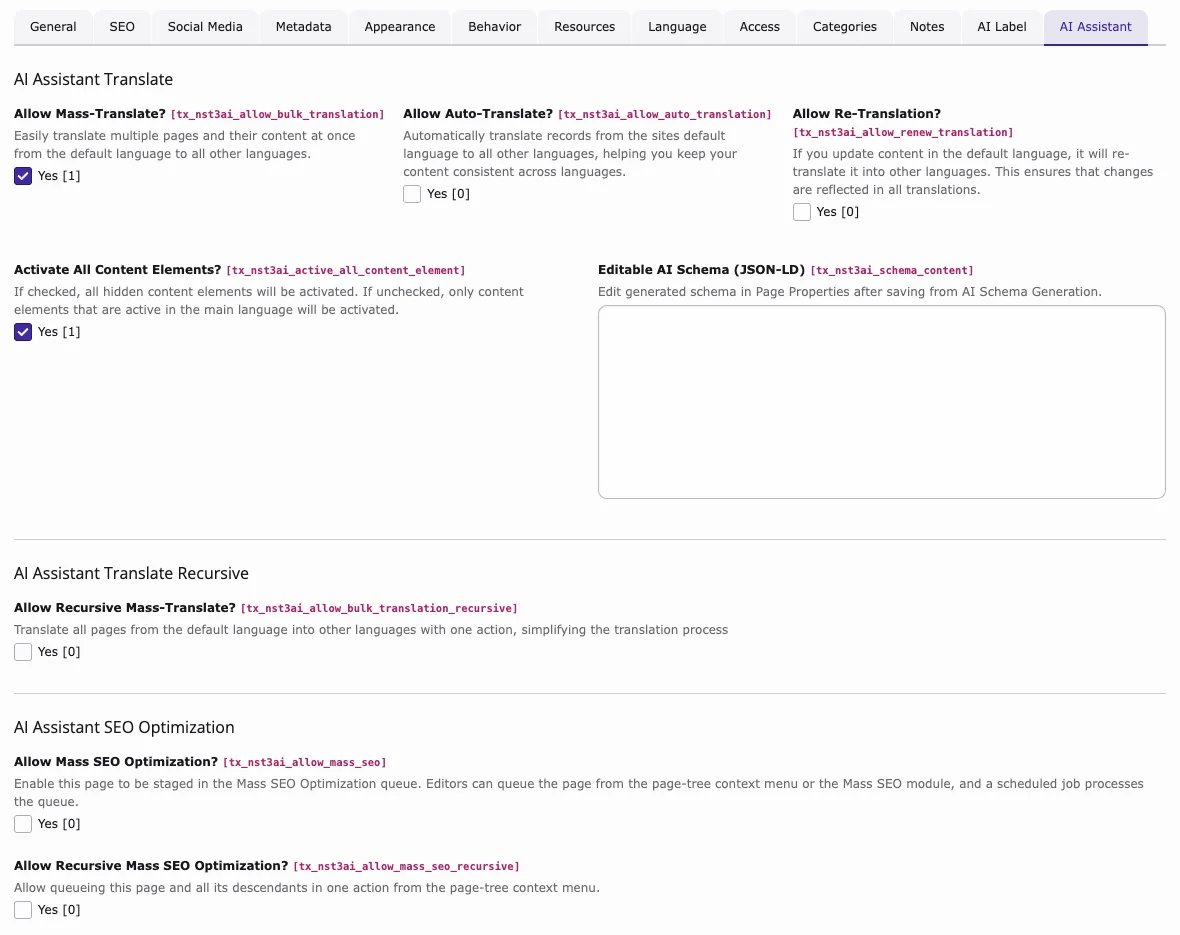
- Edit the page properties, open the AI Assistant tab, enable Allow Mass SEO Optimization?, and save.
- Right-click the page in the page tree and choose Mass SEO > Add Page to Mass SEO Queue.
Recursive Mass SEO
- In the page properties of the parent page, tab AI Assistant, enable Allow Mass SEO Optimization? and Allow Recursive Mass SEO Optimization?.
- Enable Allow Mass SEO Optimization? on every subpage that should be optimized.
- Right-click the parent page and choose Mass SEO > Add Pages Recursively to Mass SEO Queue.
Language-wise SEO optimization
In Mass Optimize SEO, use the Language filter to list and optimize the pages of one language. T3AI writes the SEO texts for the translated pages in that language.Settings, access and logs
Related: SEO · Prompts · Configuration