

- Open AI Foundation > AI Features.
- Select AI Assistant in the Extension filter to list the six T3AI cards.
- Click Configure on a card. Its settings open in a panel on the right.
- Change the settings and click Save Changes.
General Settings
- Optimize AI-SEO, Create AI-Page, TCA Records - Generate AI Fields
- Exception Handling by OpenAI and Enable System Log Solution (see System Log Solution)
- Maximum Count for RTE History
AI SEO
- Feature toggles: Optimize SEO, New SEO, SEO Meta Data, Social Media Meta, SERP Snippet, Content Analysis, SEO Page Score
- With Page Content? default, default SERP snippet view (Desktop or Mobile), and the default content type for Content Analysis (CurrentPage or Manual)
- Number of results for topic, page title, page description, keywords, OG title, and OG description
- Enable Schema and Schema news detail id (the page that holds the news detail plugin)
- Automatic SEO title, description, keywords, and OG/Twitter title, description, and image for new AI pages
AI Pages
- Feature toggles: Page (Simple), Page (Advanced), Page Tree, News (Simple), News (Advanced)
- Default prompts for General Page, Blog, Product Page, Service Page, and News
- Default content element type (textpic, header, text, textmedia)
- Number of AI results per page type
AI Content
- Feature toggles: Content Rewriter, News Content Rewriter, Blog Content Rewriter, Content Elements (Create)
- Rewriter type (Internal, External, Text) and writing style (Casual, Approachable, Easy Readability) for pages, news, and blog
- Default text fields for new content elements, default word counts, and type of content
AI Translation
- Language Translation toggle and Auto Page Translate
- Default AI model for Auto-, Re-, and Mass-Translate (OpenAI, DeepL, Gemini, Google, Claude, Mistral)
- FlexForm field keys to skip from AI translation (comma-separated), see Notes
- Use DeepL Official Glossary, see DeepL Official Glossary
AI Media
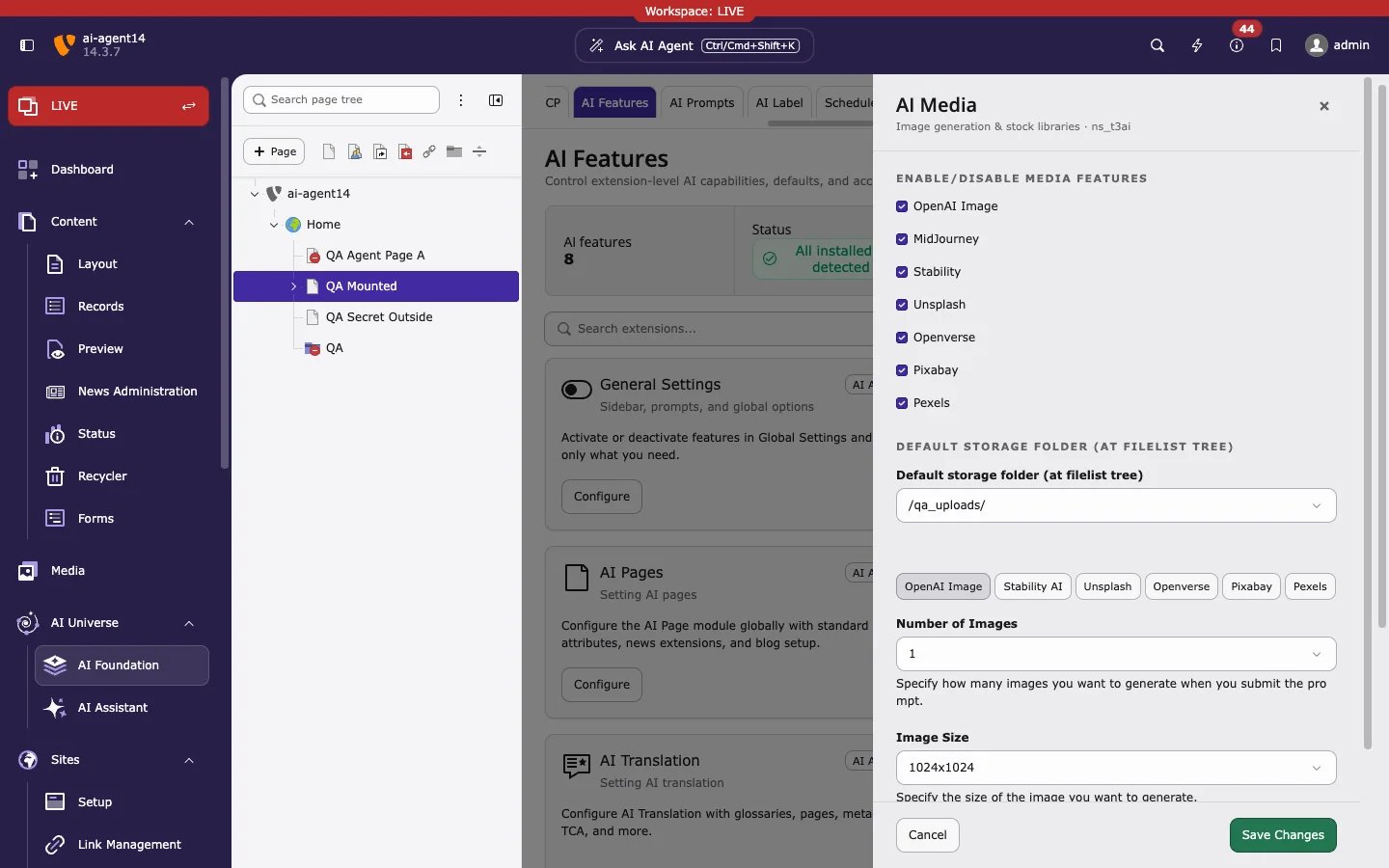
- Feature toggles: OpenAI Image, MidJourney, Stability, Unsplash, Openverse, Pixabay, Pexels
- Default storage folder for generated and imported images
- One tab per source:
This card holds only the stock library keys (Unsplash, Openverse, Pixabay, Pexels). The API keys for OpenAI Image, Stability AI, and MidJourney are added as providers in AI Providers. Saved stock library keys show Configured; leave the field blank to keep the key.
Used by: Media
Access & Notifications
This AI Foundation card also affects T3AI:- Enable Basic Authentication Support with Basic Auth Username and Basic Auth Password, for sites protected by HTTP Basic Authentication (
.htaccess) - Email notification on API quota or authentication errors, with the recipient address