

Purpose
AI Features has a settings card for each installed AI extension. Here you can, for example, use a cheap and fast AI model for routine SEO work and a better model for important pages. Path: AI Universe → AI Foundation → AI Features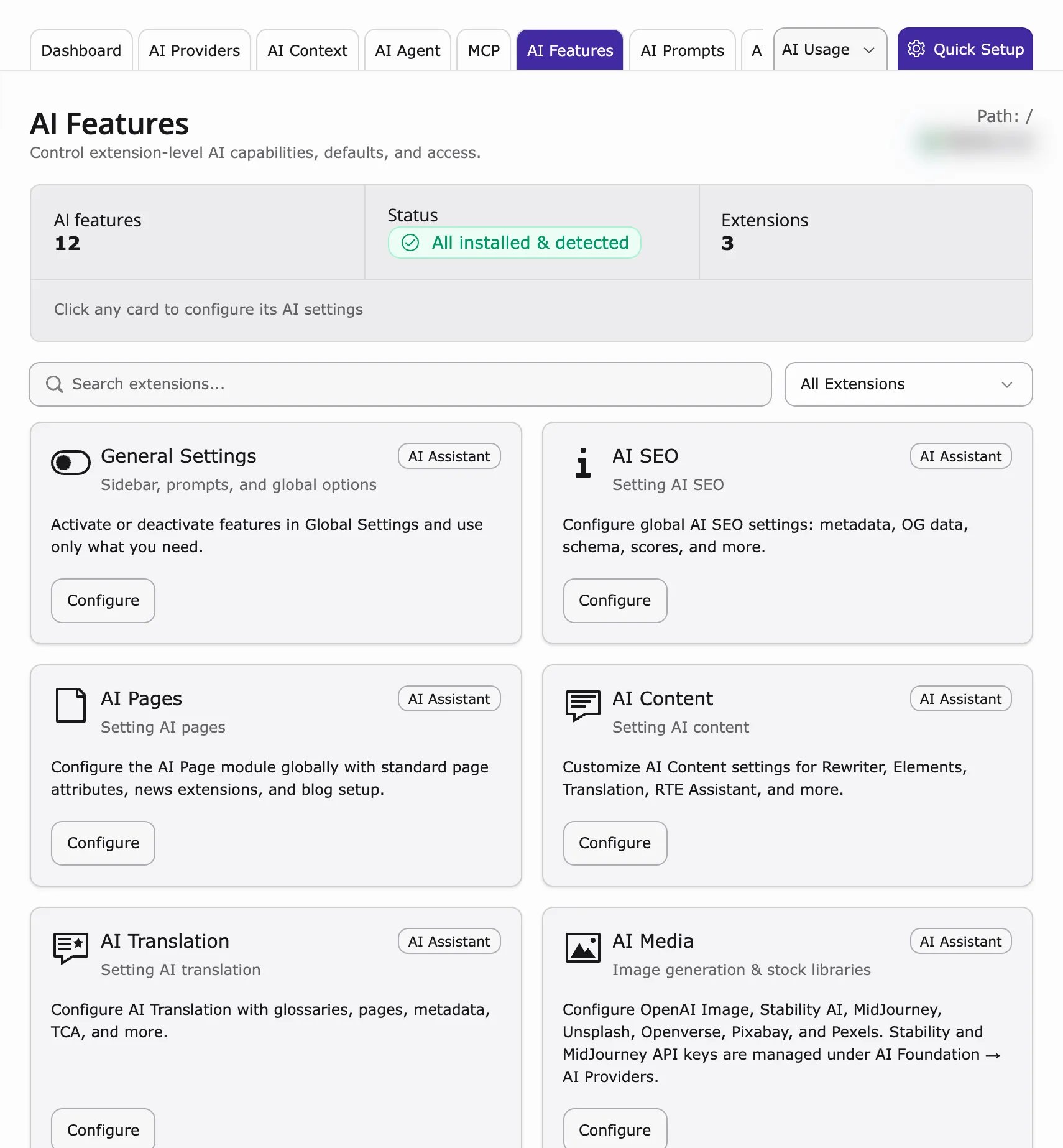
The cards only appear when an AI extension is installed, for example:Set a default provider in AI Providers first. Then change it for single features here.
How to configure
- Go to AI Universe → AI Foundation → AI Features.
- Click Configure on a card.
- Choose a provider for a feature, or leave it empty to use the default provider.
- Click Save.
- Test one request in the AI extension.
- Check the costs in AI Usage & Logs.
Feature types
- SEO — Meta data, keywords, schema-related tasks
- Pages — Page creation and structure
- Content — Text generation and rewriting
- Translation — Language conversion
Resolution order
Which AI service is used? AI Foundation checks in this order:- The provider the editor picked in the AI window (if any).
- The provider set for this feature on AI Features.
- The default provider from AI Providers.
When to use per-feature providers
- Small team – leave the features empty and use the default only.
- Large team – a cheap model for routine tasks, a premium model for important pages.
- Multilingual website – a model that is strong in German for Translation, a fast model for SEO.
Example setup
- SEO — Fast, cost-effective model (for example Gemini Flash or GPT-4o-mini)
- Pages — Premium model (for example Claude Sonnet or GPT-4o)
- Content — Balanced model for everyday editing
- Translation — Model strong in German and English
Why this matters for cost
Without these settings, every task uses the default model – often the most expensive one. Using a smaller model for SEO texts can cut monthly costs a lot.Scenario: agency with dev and live keys
Use global default for staging. On production, set SEO to a fast model and Pages to premium. Dev team keeps separate provider rows in AI Providers with dev API keys.Related
- AI Search: AI Features cards and AI Chatbot: AI Features cards – the four AI Chatbot/Search cards
- AI Permissions – who may change these settings