

Purpose
A prompt is the instruction sent to the AI, for example “Write a meta description, max 155 characters”. AI Prompts keeps these instructions in one place, so every editor and every AI extension gets the same quality. Path: AI Universe → AI Foundation → AI Prompts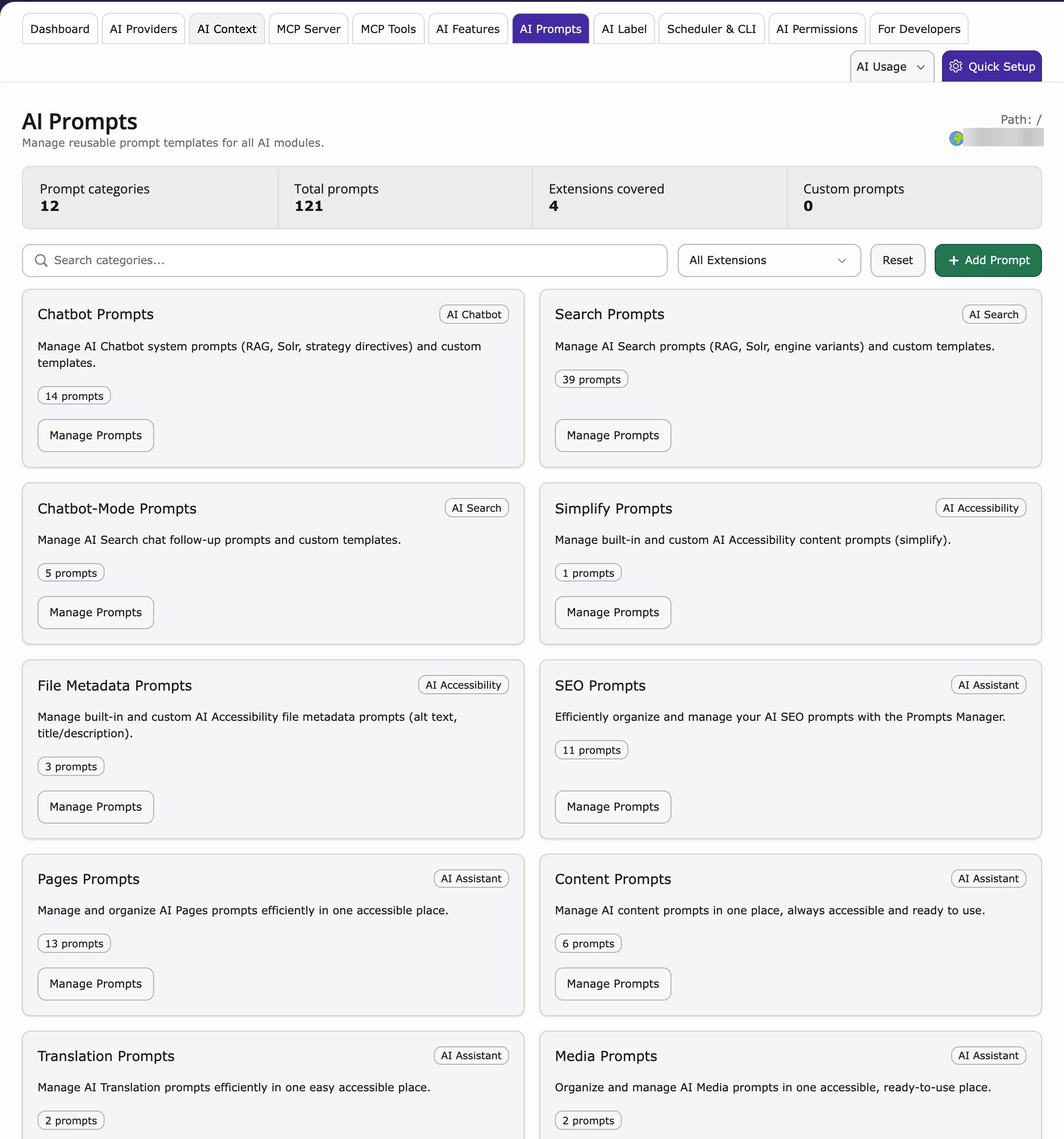
This page is only useful if you have an AI extension installed that uses prompts, for example:The prompts are stored in AI Foundation and used by these extensions.
What is a prompt?
The instruction sent to the AI. Examples:- “Write a meta description, max 155 characters”
- “Translate to German, formal Sie”
Manage prompts
- Go to AI Universe → AI Foundation → AI Prompts.
- Choose a category.
- Edit the prompt text.
- Save.
- Test with one real request.
Writing good prompts
- Be specific — length, format, language
- Set tone — formal, friendly, technical
- Say what to avoid — no emojis, no hype, no legal claims
- Include the page goal — SEO, translation, rewriting, or summary
Example prompt
Reset to default
Results got worse after a change? Click Reset to default. Then change one thing at a time and test again.When to customize prompts
- SEO team has strict meta description rules
- Legal requires disclaimers in generated text
- German formal (Sie) must appear in every output
- Extension default is too generic for your industry
When to leave defaults
- Small team still learning AI features
- You have not yet filled AI Context
- Results are already good — do not over-edit