

Minimum working setup
- Go to AI Universe → AI Foundation → AI Providers.
- Add one AI service with a valid API key (password for the AI service) and a model.
- Click Test connection. It must succeed.
- Mark the provider as Default.
- Optional: add DeepL or Google for translations.
- Optional: switch on the MCP Server if your team uses AI assistants.
Two configuration areas
- AI Providers – your AI services: API keys, models and which one is the default.
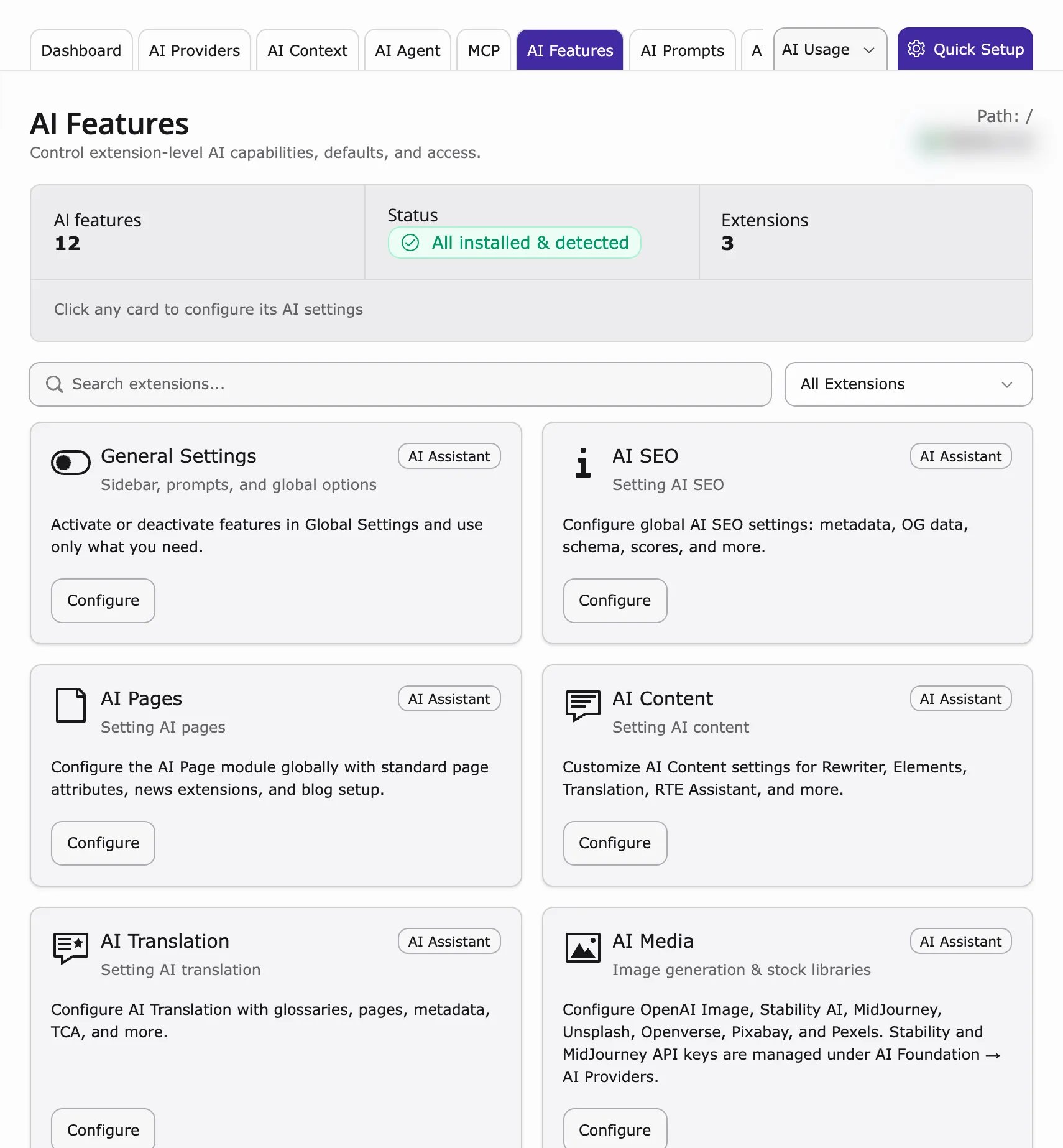
- AI Features – a settings card for each AI extension. AI Foundation’s own card is Access & Notifications (browser login for protected pages, and email alerts).
AI Providers (primary)
Path: AI Foundation → AI Providers Connect at least one provider, choose a model, click Test connection and mark exactly one as Default. DeepL Translate, Google, OpenAI, Anthropic, Gemini and Ollama are all added here, each as its own row. Details: AI ProvidersExtension settings
Access & Notifications (HTTP Basic Auth)
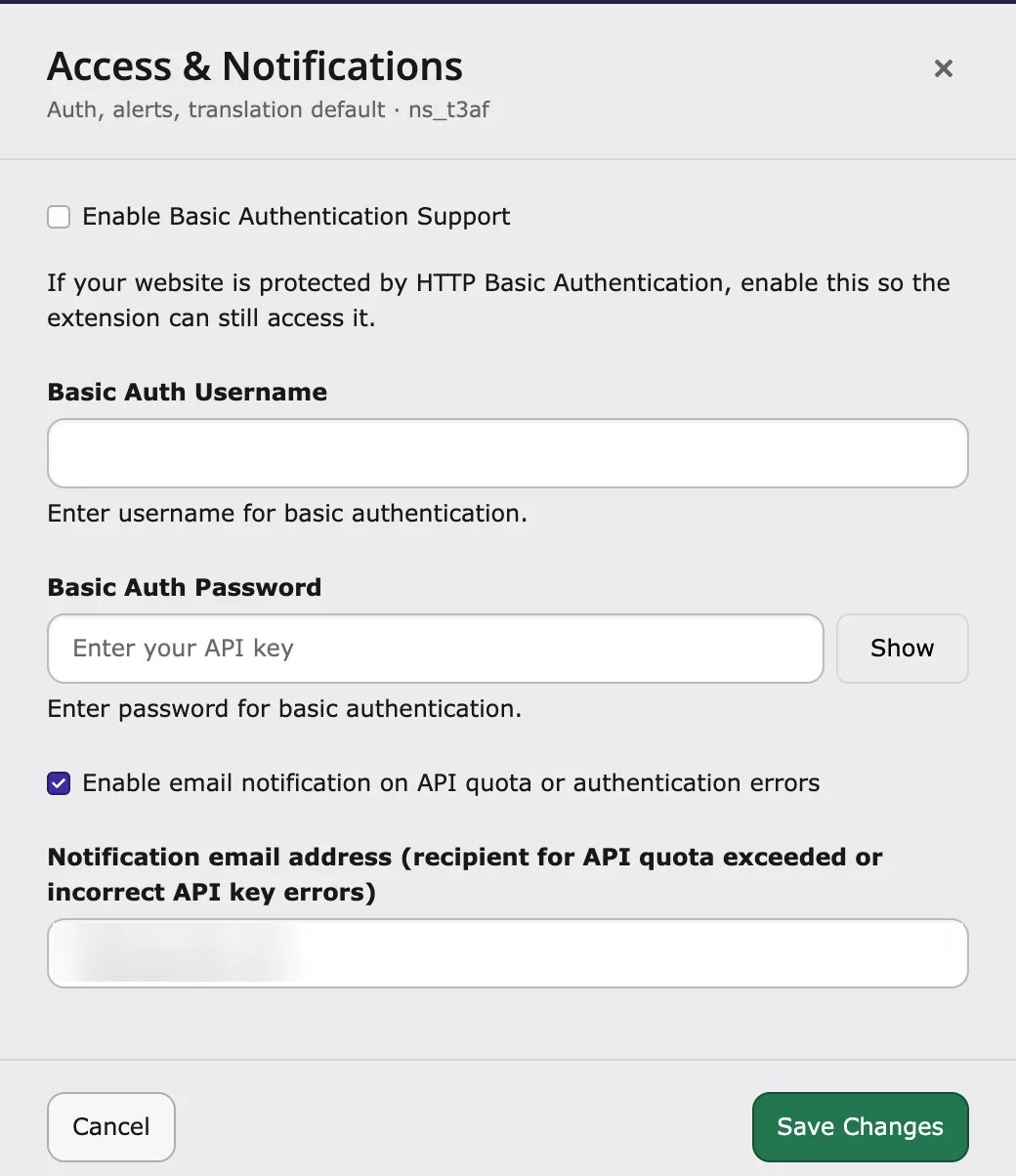
Path: AI Foundation → AI Features → Access & Notifications Use this if parts of your website are protected by a browser login, or if you want an email when the AI service stops working.- Go to AI Universe → AI Foundation → AI Features.
- Open Access & Notifications.
- Fill in the fields you need:
- Enable Basic Authentication Support – lets AI Foundation read pages behind a browser login.
- Basic Auth Username / Basic Auth Password – the login.
- Enable email notification on API quota or authentication errors – get an email when your AI budget is used up or the API key is wrong.
- Notification email address – who gets the email.
- Save.
MCP Server
MCP options are in AI Foundation → MCP Server → Advanced. See MCP Server.For developers: extension settings keys
For developers: extension settings keys
Most AI Foundation settings are made in the module. A few optional settings are keys of the extension
ns_t3af.- Translation:
deepl_api_key,google_api_key,defaultModelForTranslation. - OpenAI usage charts:
openai_admin_api_key(not the chat API key). - MCP Server:
enableMcpServer,mcpBasePath(default/mcp),requireAuth,accessTokenLifetime. Change them preferably in AI Foundation → MCP Server → Advanced. - Basic Auth:
basicAuthEnabled,basicAuthUsername,basicAuthPassword.
Per-feature providers
Path: AI Foundation → AI Features Use a different AI service for one task, for example SEO, Pages, Content or Translation. See AI Features.AI Label
Path: AI Foundation → AI Label Mark content that was written or changed by AI, as required by the EU AI Act (Article 50). See AI Label.Scheduler & CLI
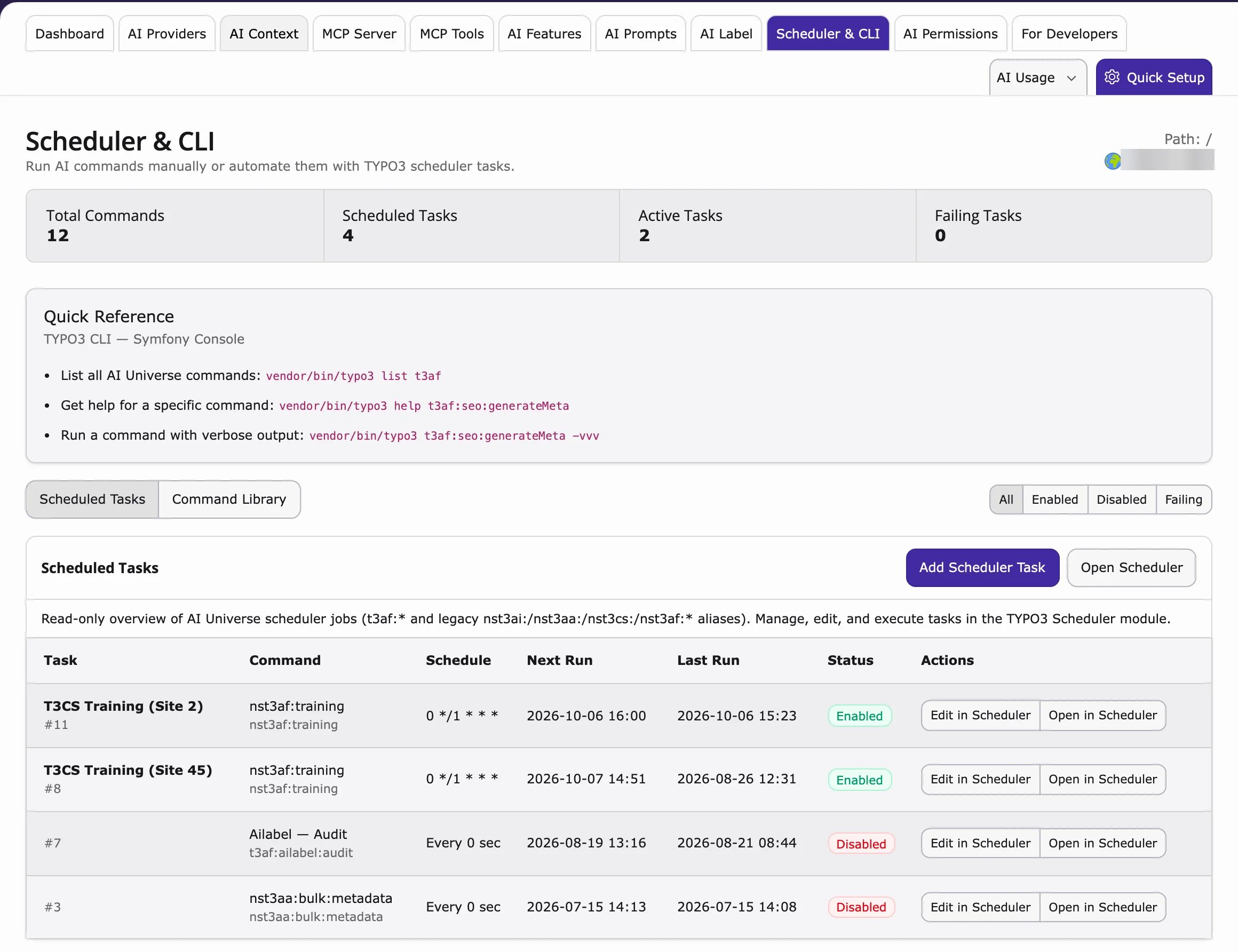
Path: AI Foundation → Scheduler & CLI A read-only list of all AI background tasks and commands, for example T3CS Training (Site N) from AI Chatbot/Search. Use it to check that the tasks run.- At the top: Total Commands, Scheduled Tasks, Active Tasks and Failing Tasks.
- Scheduled Tasks – each task with its schedule, last and next run and status. Filter with All, Enabled, Disabled and Failing.
- Quick Reference and Command Library – the available commands (for developers).
- To change a task, click Add Scheduler Task, Open Scheduler, Edit in Scheduler or Open in Scheduler. This opens the TYPO3 Scheduler module.
For Developers
Path: AI Foundation → For Developers An overview for developers who want to build their own AI features on top of AI Foundation: how extensions, providers and MCP clients fit together, and a Starter Kit with a link to the Developer Guide. See Developer Guide.Security checklist
- Give admin access only to people who need it.
- Use HTTPS on your live website.
- Change your API keys every 90 days.
- Use AI Permissions for large teams.
- Never send API keys by email or store them in Git.
When to reconfigure
- After changing an API key – click Test connection again.
- After installing a new AI extension – check AI Features.
- Before switching on MCP on your live website – read the security part of MCP Server.
- After renewing your license key – check that it is still valid.