

- Go to AI Universe → AI Foundation → AI Features.
- Find the cards with the label AI Chatbot/Search:
- Provider Overrides – use a different AI provider just for search and chat.
- Rate Limiting – stop one visitor from sending too many questions.
- Training – how your content is prepared for the AI.
- Solr configurations – only if you use Solr (see Solr settings).
- Click Configure on a card.
- Change the settings.
- Click Save.
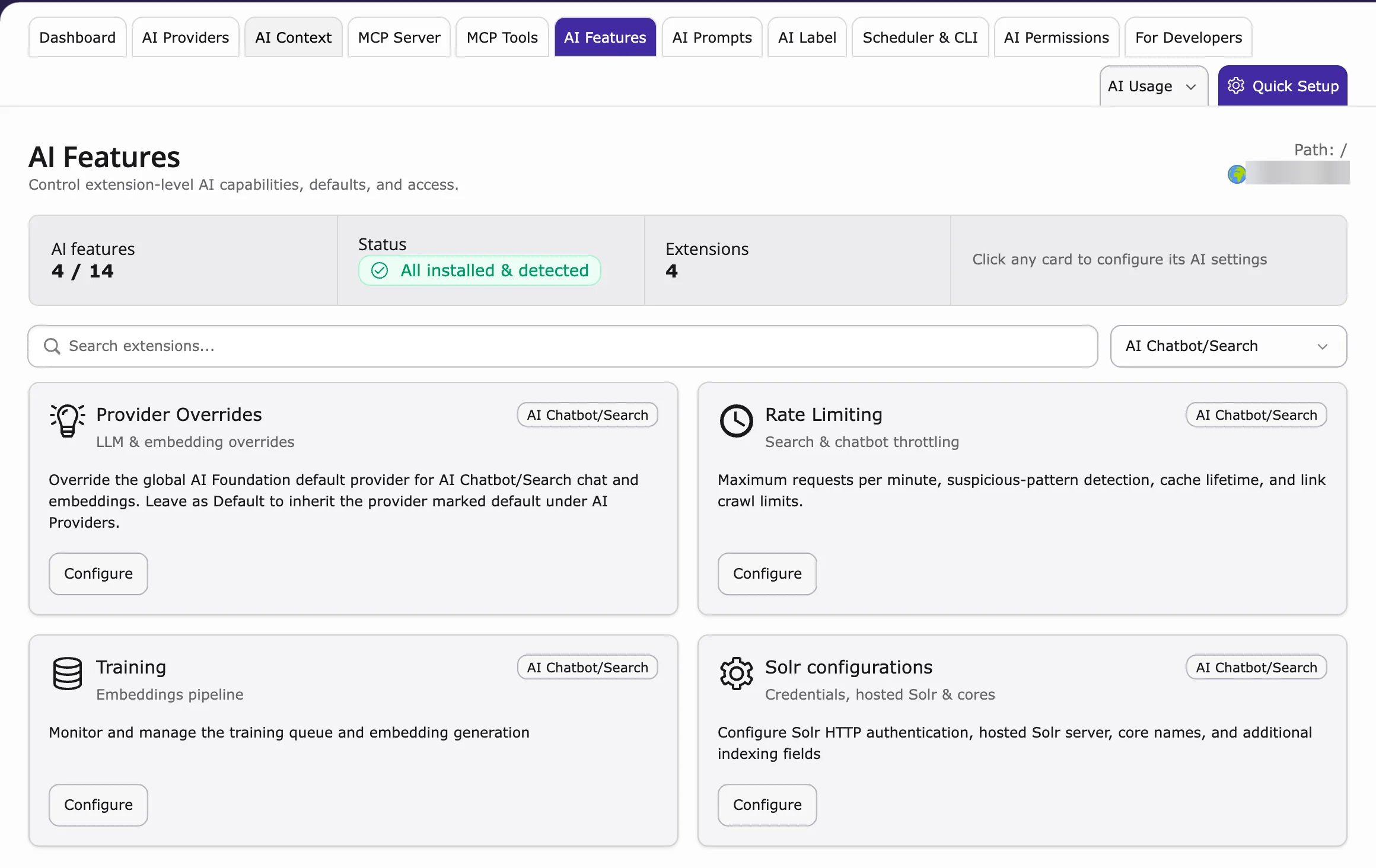
These cards are shared by AI Search and AI Chatbot. A change here affects both.
AI Prompts
A prompt is the instruction the AI gets before it writes an answer. With AI Prompts you can change the tone and style of all answers in one place.- Keep the instructions short, for example “Answer in simple words, in 3 sentences”.
- Test changes with real questions from your visitors.
- Prompts are managed in AI Foundation → AI Prompts.