- Go to AI Universe > AI Foundation > AI Permissions.
- On Groups & Permissions, select a group (or click Add Backend Usergroup) and click Start Setup Wizard.
- Grant the module, the features, and the record tables the group needs, then save.
- Check the result on Permission Matrix > AI Assistant.
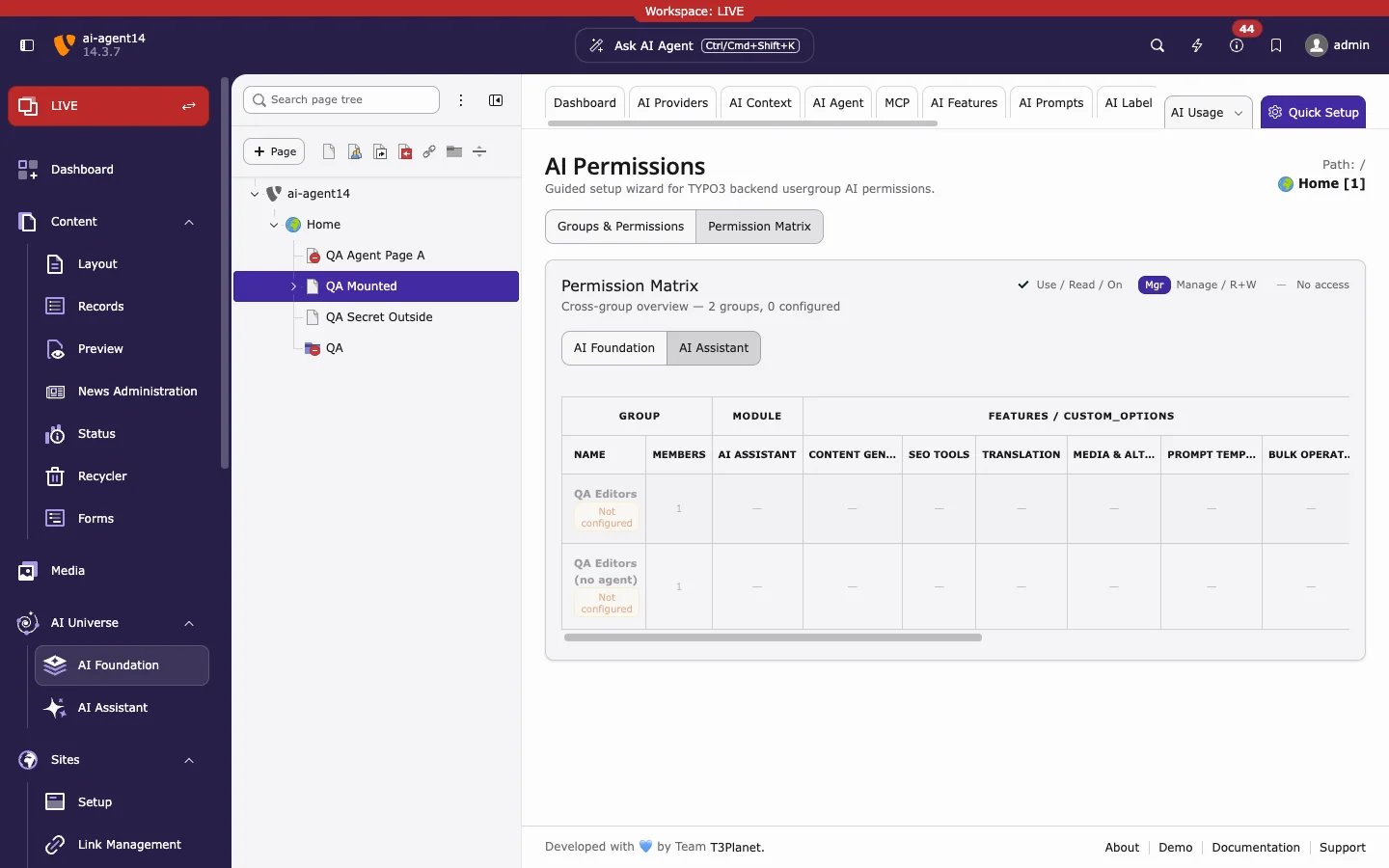
T3AI permissions
The bulk job tables need Bulk Operations as well as the Translation or SEO feature.
To stop editors from adding, editing, or deleting prompts, grant Prompt Templates as use only, without manage rights.
Groups from older versions
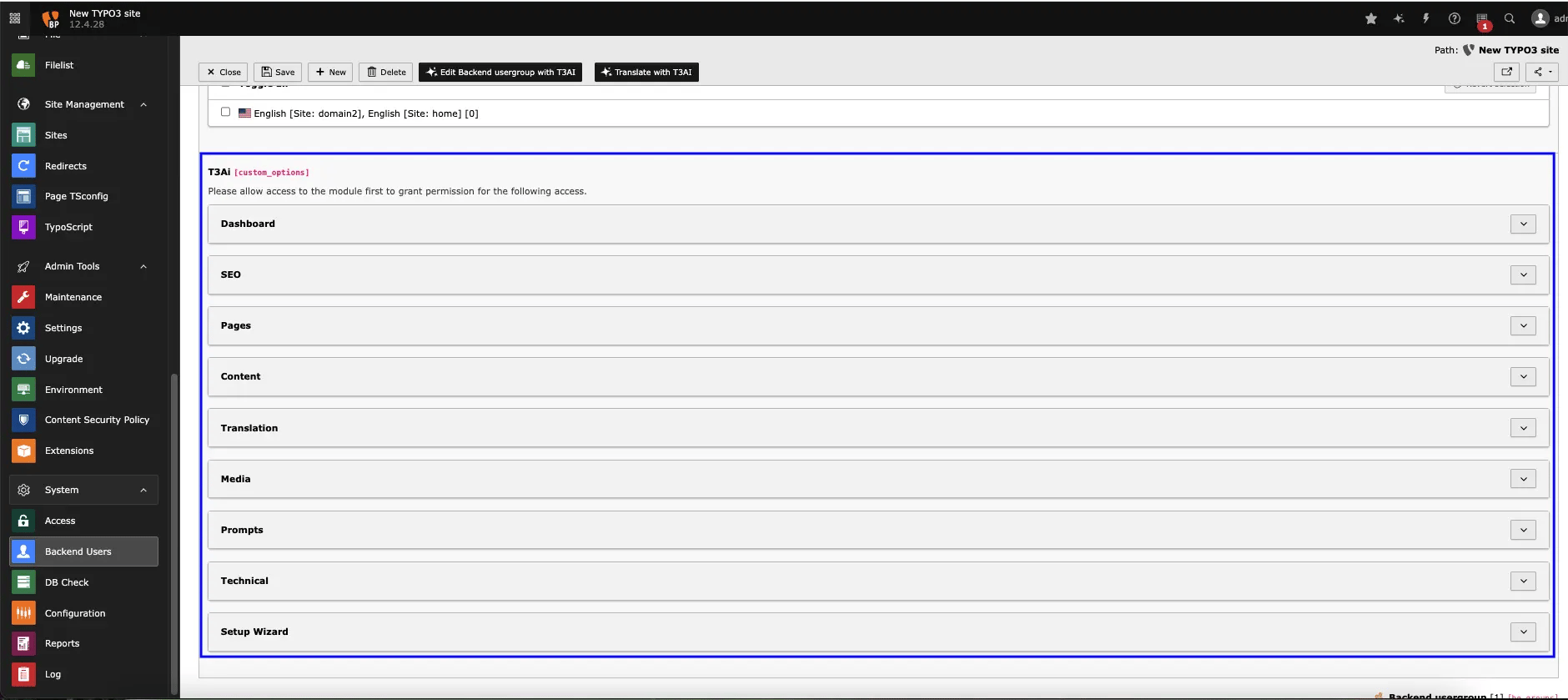
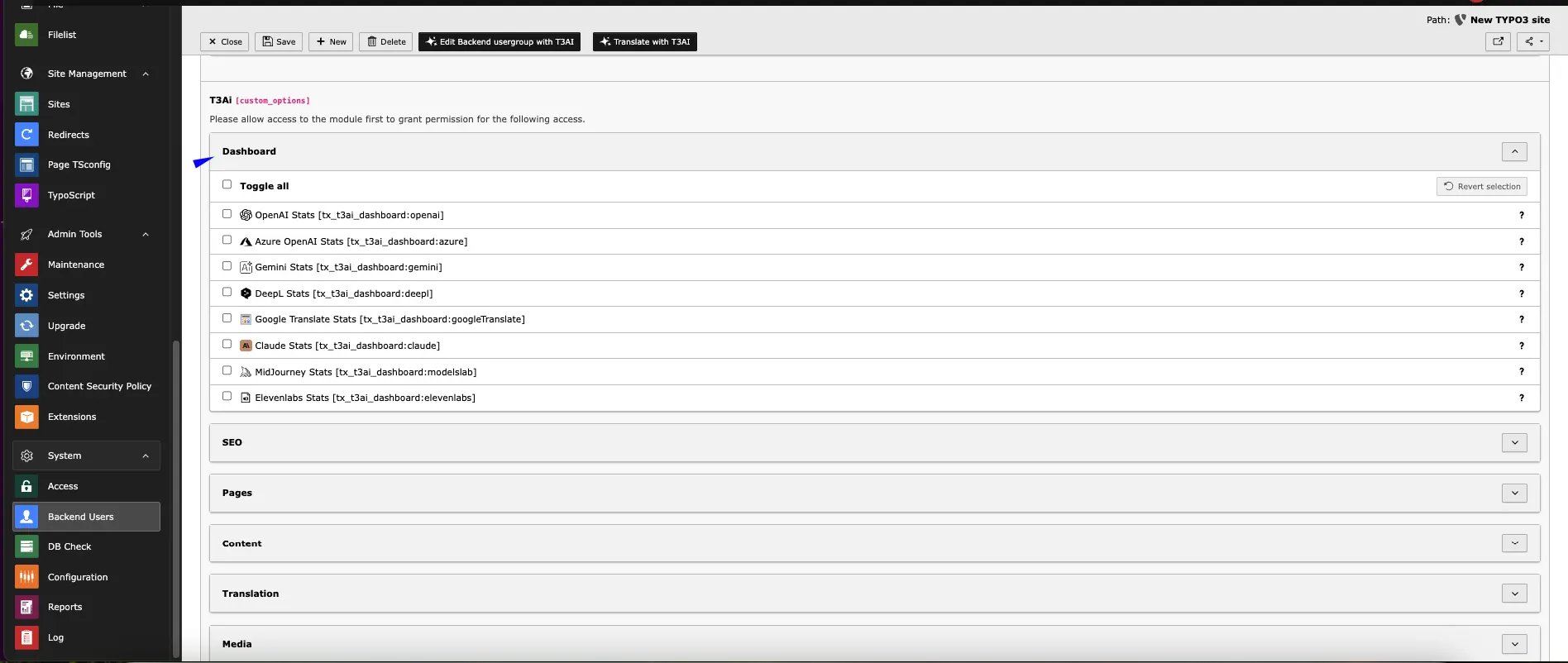
Before AI Permissions, T3AI access was set per backend user group in Backend Users > edit group > Access Rights, with the module and the T3AI feature options.