

If the export uses Pro-only field types, the target also needs
tonictypes_pro.
Export
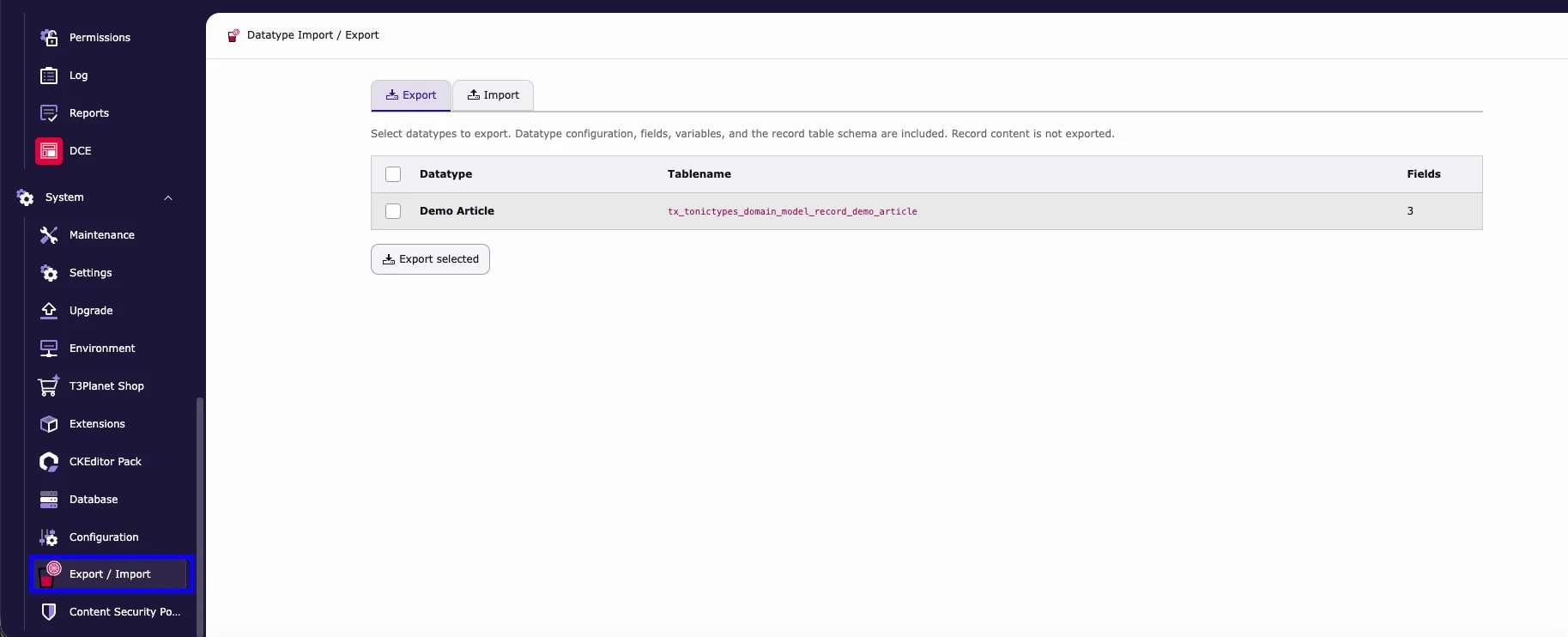
- System > Export / Import → Export
- Tick the datatypes
- Export selected → save the
.t3tt.zip
Import
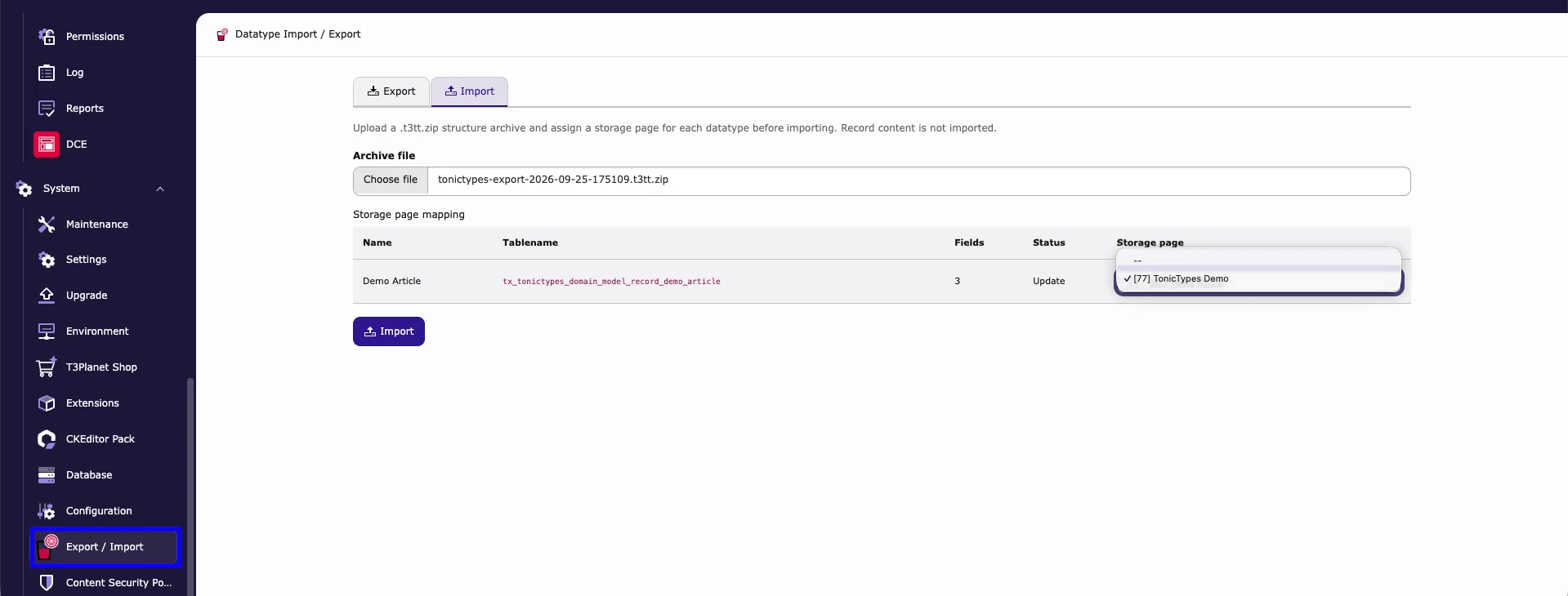
- System > Export / Import → Import
- Choose the
.t3tt.zipunder Archive file - Map each datatype to a Storage page
- Check Status (
Create/Update) → Import - Clear caches · run Analyze Database Structure if asked
After the records are written, the import creates or migrates the record table. If the table already contains records, only new columns are added and destructive changes (dropping or shrinking columns) are skipped — your content is not touched. Open each imported datatype afterwards: if its General tab offers Create Class / Update Class, click it to generate the PHP class on this site.
What moves
Record content is not part of the archive. Once the structure exists on the target, records can be moved with TYPO3’s own Import/Export extension (
impexp, .t3d files) like other TYPO3 records.
Dashboard widget: Predefined Datatype Import
Core (free) ships a TYPO3 Dashboard widget, Predefined Datatype Import, in the widget group Tonictypes. It imports one bundled, ready-made datatype (tabletx_tonictypes_domain_model_record_tonictypes) so you can explore a working setup without building fields first. It is not for moving your own datatypes between projects — use the Export / Import module above for that.
- Open the Dashboard module and add the widget Predefined Datatype Import (group Tonictypes). The Dashboard system extension (
typo3/cms-dashboard) must be installed. - Select a Storage PID (Select storage page). The list offers storage folders and pages that already contain datatypes.
- Click Import predefined datatype. The result of the import is shown in the widget.
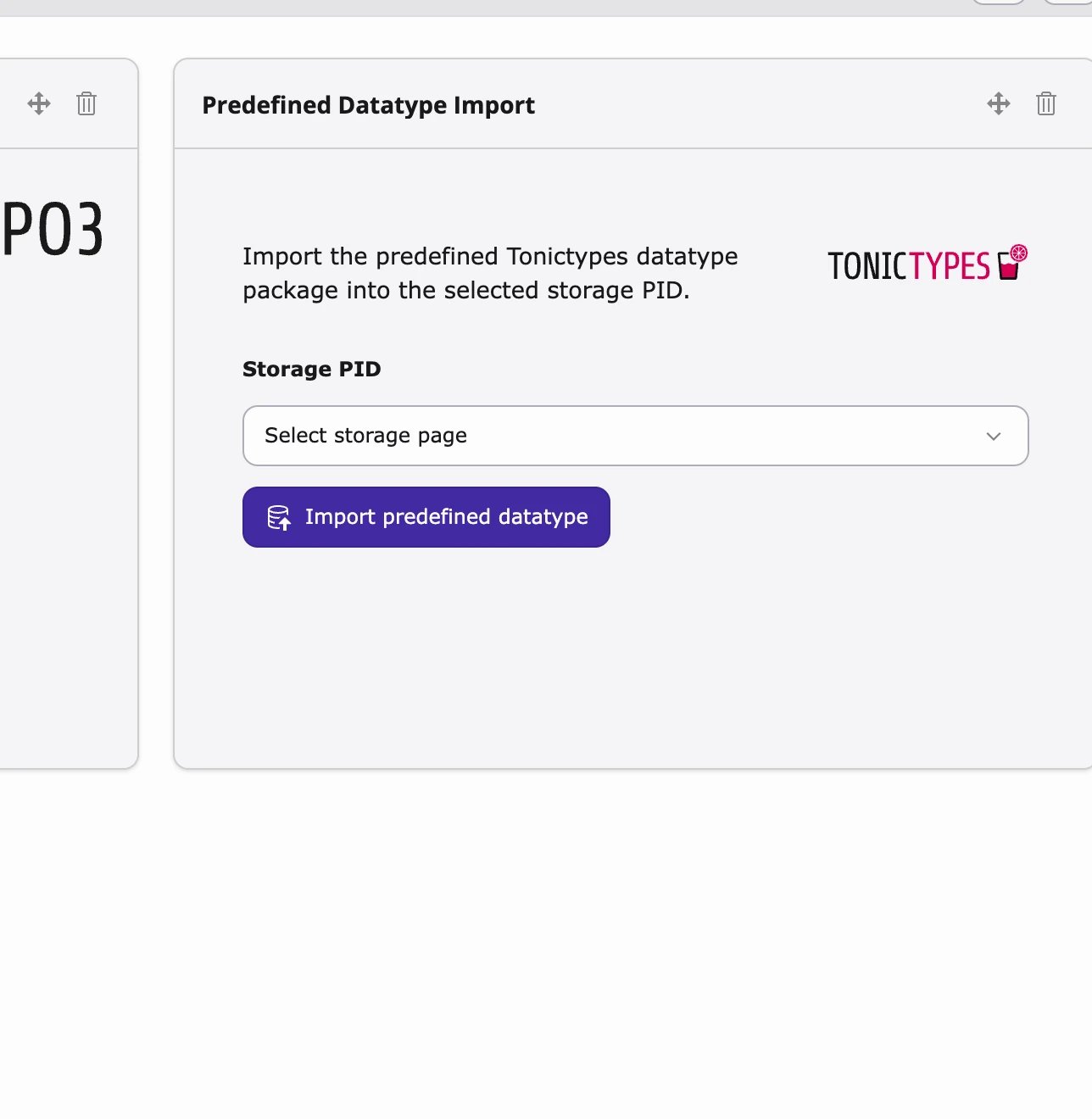
- Only TYPO3 administrators can run the import.
- If the predefined datatype already exists on the site, the widget only shows that it is already present and does not import again.