
Quick visual tour. Full steps: Introduction. Where: fields / datatypes / records → Records on a storage folder. Plugins → Page module → Tonictypes.

1. Extensions

Core and Pro tonictypes + tonictypes_pro Both extensions installed. Core alone is enough for standard record types; Pro appears only on licensed sites.

2. Storage folder
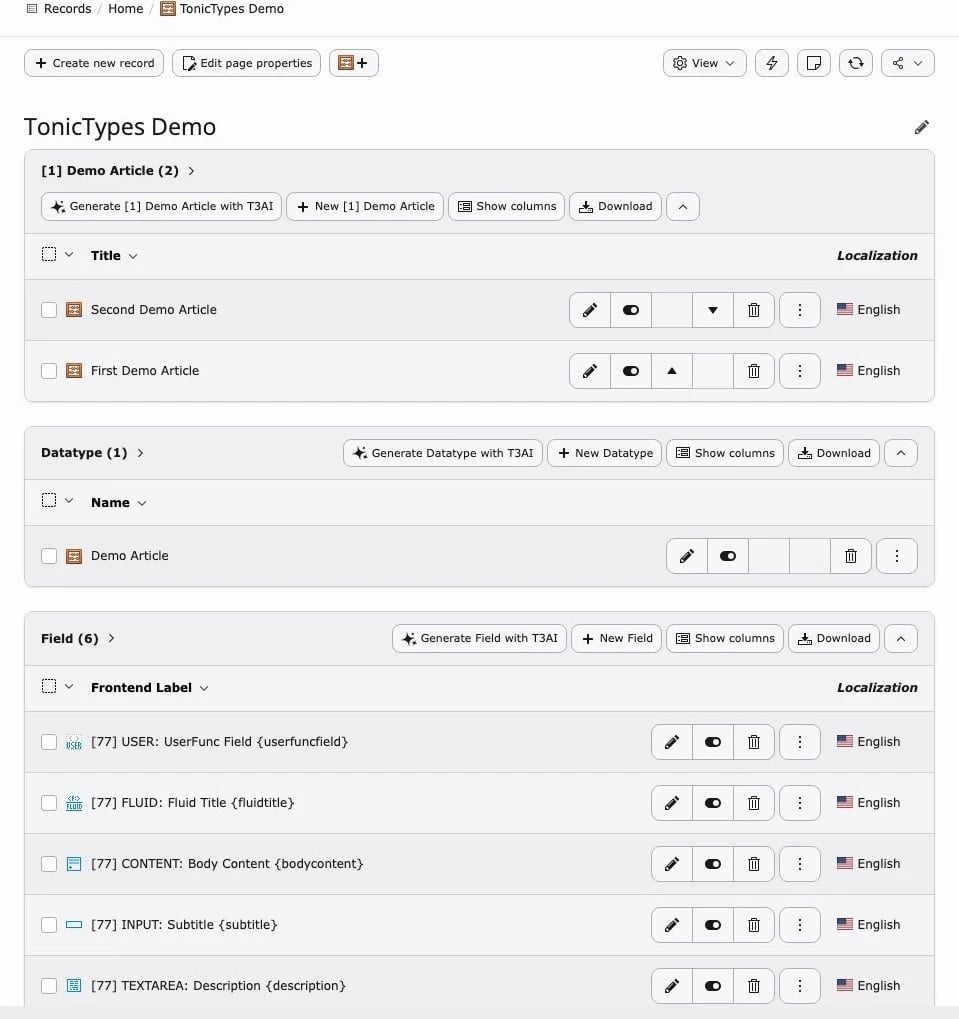
Records, datatype, fields Demo Articles · Datatype · Fields One storage folder holds everything that belongs to a record type: the field definitions, the datatype that groups them, and the records editors create.

3. Datatype

Datatype General Name, table, classes The datatype’s General tab shows the generated table and PHP class and whether they still match the assigned fields — see Creating a Datatype.

4. Record edit

Record form Form from your fields Editors see a normal TYPO3 record form. Each field of the datatype becomes one input, in the order set on the datatype’s Fields tab.

5. Frontend

List preview Record List output A Record List plugin on a page renders the records with a Fluid template — see Frontend Plugins.

6. Pro UI

Toolbar, DocHeader, Pro fields → Tonictypes Pro Installation · Getting Started