

Create a datatype
- Open your storage folder in Records.
- Create new record → tonictypes → Datatype.
- Set Name (and optional description).
- Open Fields and assign the fields (order = form order).
- Save, then click Create Table / Update Table.
- Click Create Class / Update Class.
- Still on this folder: Create new → your datatype name → add records.
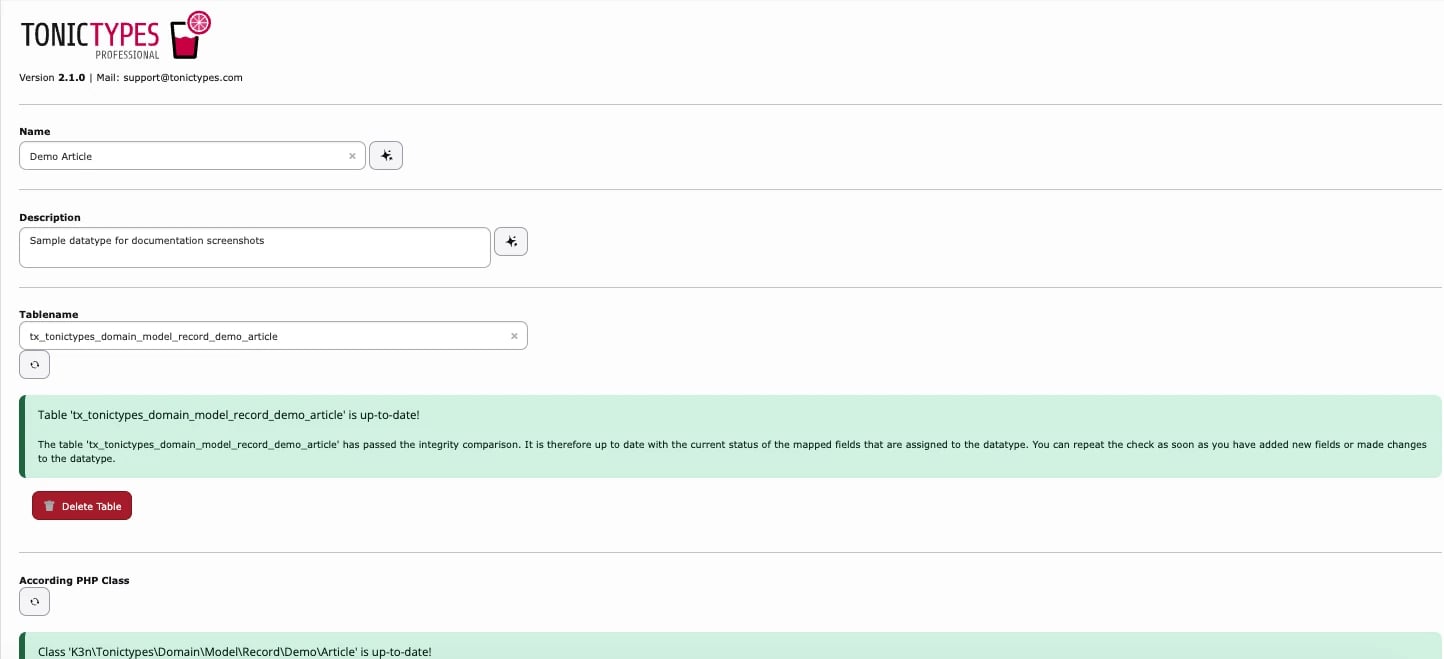
What Create Table and Create Class do
The General tab checks whether the database table and the PHP class still match the assigned fields and shows the matching button.
Run Update Table and then Update Class every time you add, remove or change fields of a datatype, and clear the caches afterwards.
Tabs overview
Appearance (common options)
- Icon / Color — how records of this type are recognised in the backend
- Title Divider Character — separator used when several fields form the record title (fields marked Use as record title on the field)
- Thumbnail Field — list thumbnail; pick an image field so editors recognise records at a glance
- Hide Records of this type in lists / Hide Button to Add new Record — keep records out of the List module or stop editors from creating new ones there (for example when records are created by an import)
- Enable SEO Fields — SEO fields on the record form, for types that get their own detail page
- New records are disabled by default — new records start hidden (
default_hidden, Core 2.1+); an editor must enable them, which suits a review step before publishing
Advanced Settings
- Cache generated TCA — cache TCA; clear caches after structural changes