

What to install
Tonictypes is split into a free Core that contains the whole record-type engine, and the licensed Pro package that adds features on top of it. Pro depends on two helper extensions:ns_license checks the license, and AI Foundation provides the AI/MCP layer used by the Pro MCP tools.
Compatibility: TYPO3 12.4–14.9 · PHP 8.2–8.5
Pro requires (from
k3n/tonictypes_pro composer.json): Core k3n/tonictypes, nitsan/ns-license, and AI Foundation nitsan/ns-t3af.
1. License (Pro only)
Activate Tonictypes Pro via License documentation, then installtonictypes_pro. Core and AI Foundation (ns_t3af) must already be present (or install them with Pro).
2. Install packages
Composer
ns-t3af lines if you only use free Core.
Composer also installs nitsan/ns-license as a dependency of Pro. After the packages are installed, run vendor/bin/typo3 extension:setup (or open Analyze Database Structure) so the Tonictypes tables for fields, datatypes and variables are created.
Extension Manager (no Composer)
- Open Extensions — System > Extensions (v14) or Admin Tools > Extensions (v12/v13)
- Update the extension list
- Search
tonictypes→ install Core (and Pro if licensed), or upload the TER zip

tonictypes — Core and Pro both listed
Generic install videos (any extension): Non-Composer · Composer
Tonictypes walkthrough
After install, the flow is: create a datatype → add fields → create records → place a Record List plugin. Full steps: Getting Started. Product overview: t3planet.de/tonictypes.3. Activate configuration
Installing the extensions only makes their code available. The frontend plugins additionally need the Tonictypes TypoScript (template paths, field type registry, plugin settings). You load it once per site, either as a Site Set or as a static TypoScript include. Use Site Sets (recommended on TYPO3 v13+) or classic TypoScript includes — not both without care. If you combine them, turn off Clear constants / Clear setup on the root template.Site Sets (recommended)
Site Sets do not exist in TYPO3 v12 — on v12 use the TypoScript static template below.
Add:
EXT:tonictypes :: General ConfigurationEXT:tonictypes_pro :: Professional Configuration(Pro only)
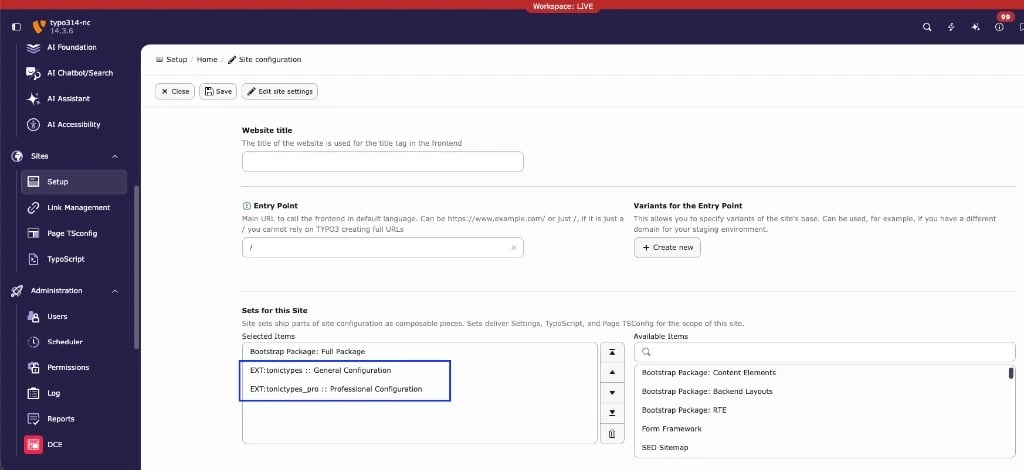
config.yaml:
plugin.tx_tonictypes.*):
TypoScript static template (classic)
Include:
- [Tonictypes] General Configuration
- For Pro: also [Tonictypes] Tonictypes Professional
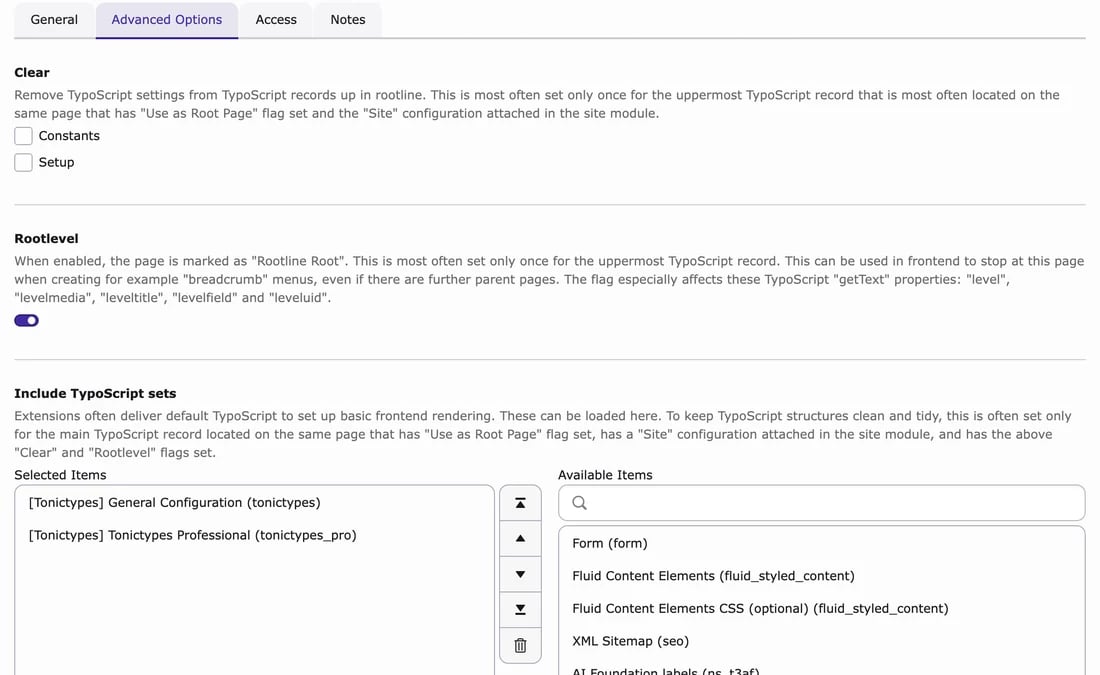
Clear caches
Clear all caches after install. After upgrades, run Analyze Database Structure. Tonictypes caches the generated TCA of your datatypes. Clearing all caches makes TYPO3 pick up the new configuration and any datatypes that already exist (for example after an import).4. Quick checks
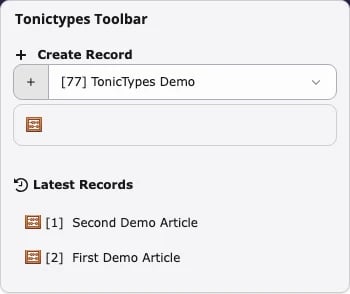
User TSconfig
Set on backend users / groups (TSconfig field). All keys live underoptions.tonictypes.:
Page TSconfig
Set on the page / storage folder (page properties → Resources → Page TSconfig). The listed datatypes get a create button in the module header of that page and its subpages, so editors can add a record in one click: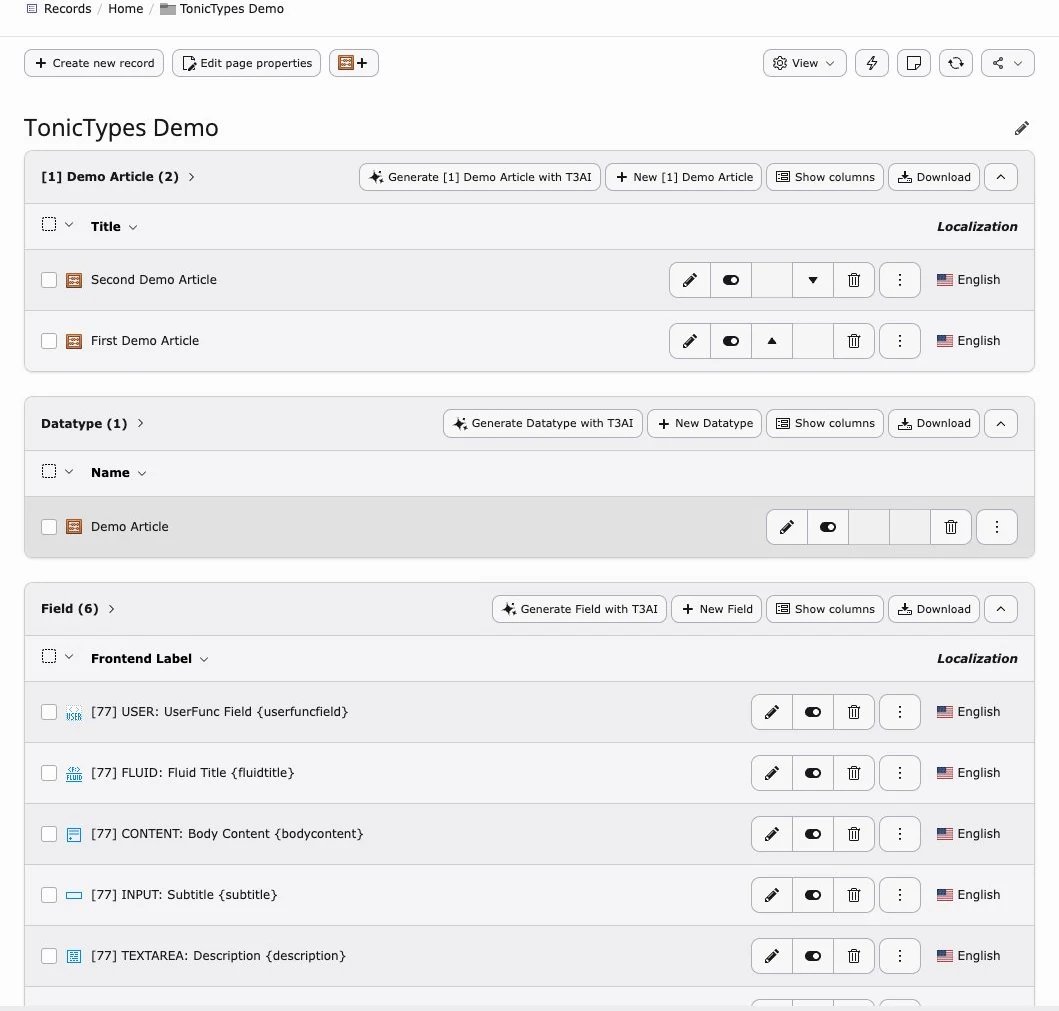
Predefined templates
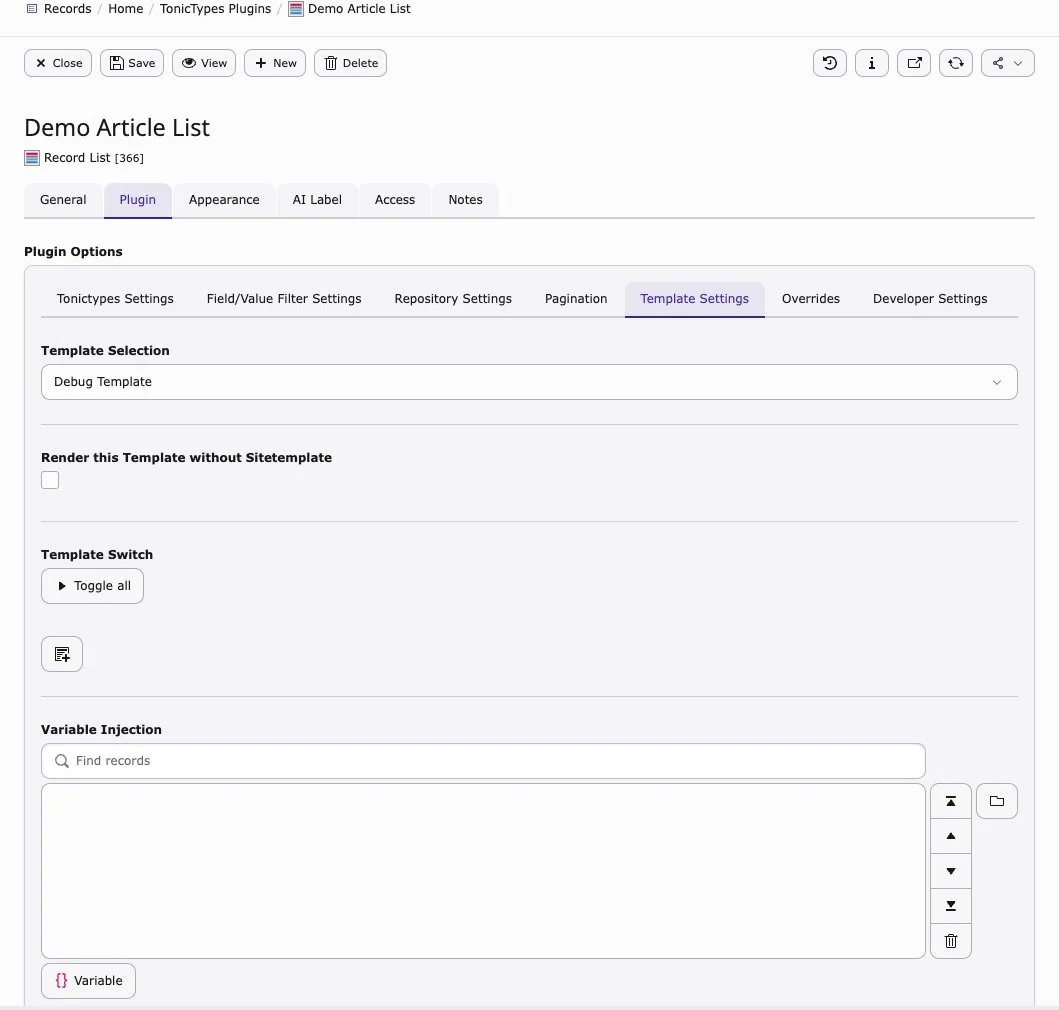
Optional: define Fluid templates in TypoScript setup, then pick them in the plugin under Predefined Templates.group sorts the template into a group in the selector, name and icon are what editors see, and file is the Fluid template that is rendered. Why and when to use this: Templating.
dv:template.render — see Templating.
Upgrade notes
New in Core 2.2.0- New field types: Email, Phone, Number, Slug and Toggle
- A FlexForm conversion helper for Fluid templates and
dataProcessing - A readOnly option in the field configuration
- Better TYPO3 v12–v14 compatibility for frontend authentication and the Query Builder
nitsan/ns-license, and AI Foundation nitsan/ns-t3af.
Coming from 2.0.x: Export/Import is in Core from 2.1.0, and the Pro-only field types moved out of Core in 2.1.0, so they need k3n/tonictypes_pro.
After every upgrade: run Analyze Database Structure and clear all caches.