

- Open the Google Cloud console: https://console.developers.google.com
-
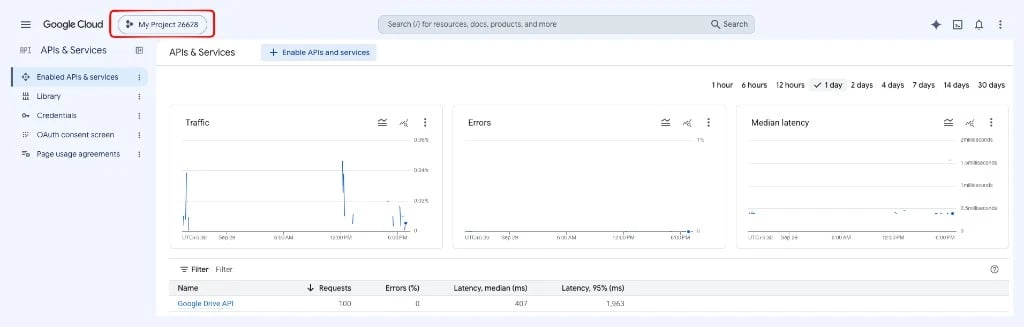
Create a new project or select an existing one.
-
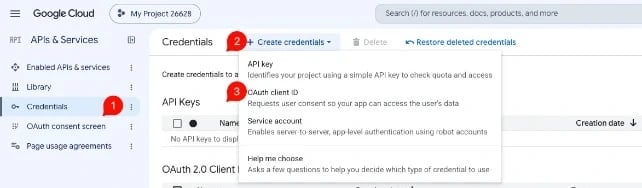
Open Credentials, click Create credentials and choose OAuth client ID.
-
Select the application type Web application and add
https://developers.google.com/oauthplaygroundunder Authorized redirect URIs.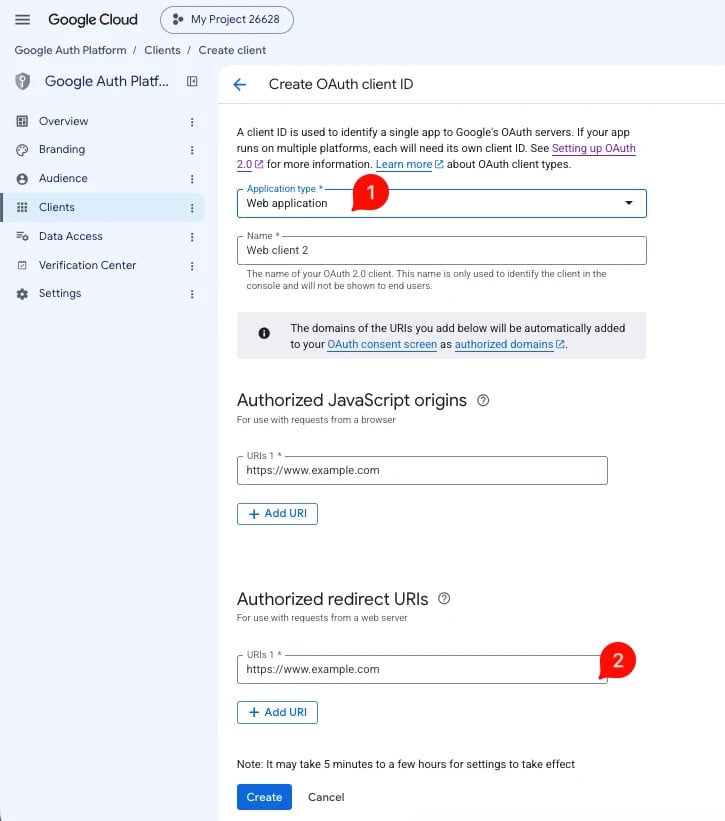
-
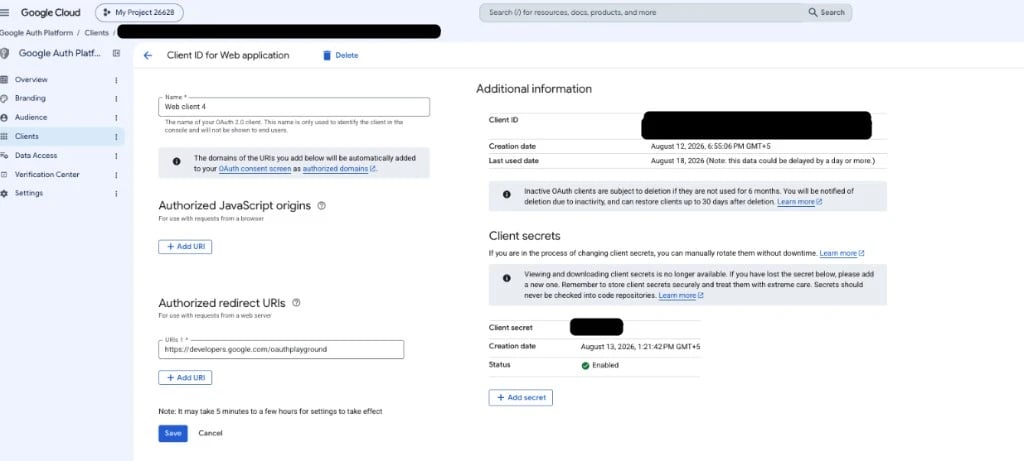
Google creates your Client ID and Client Secret.
-
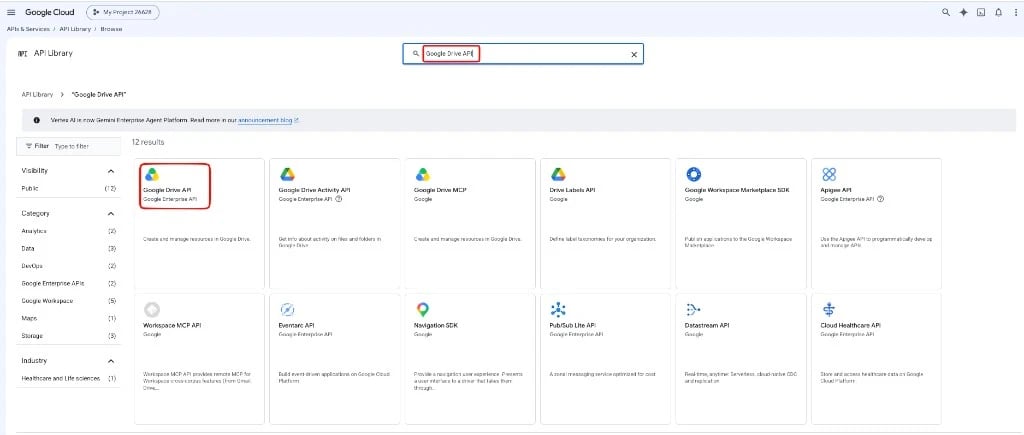
Open Library, search for Google Drive API, select it and click Enable.
- Open the OAuth 2.0 Playground: https://developers.google.com/oauthplayground/
-
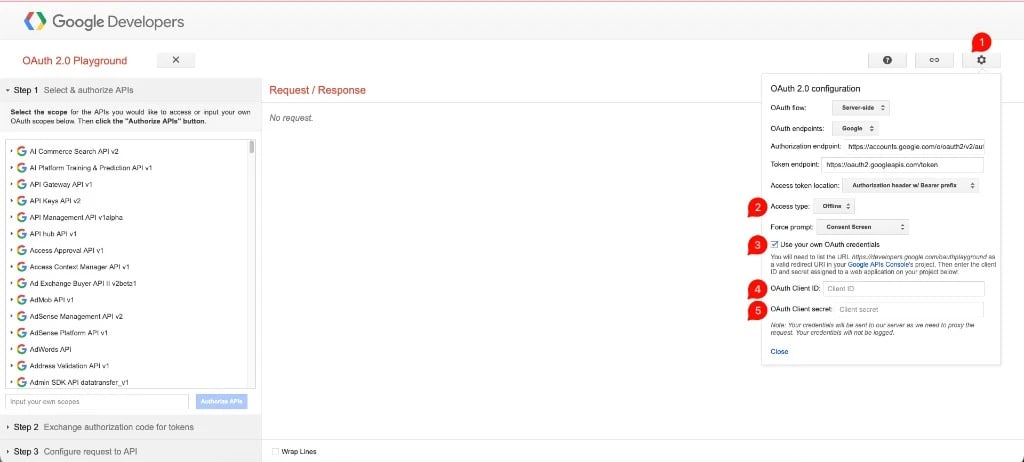
Open the settings (gear icon), tick Use your own OAuth credentials and enter your Client ID and Client Secret.
-
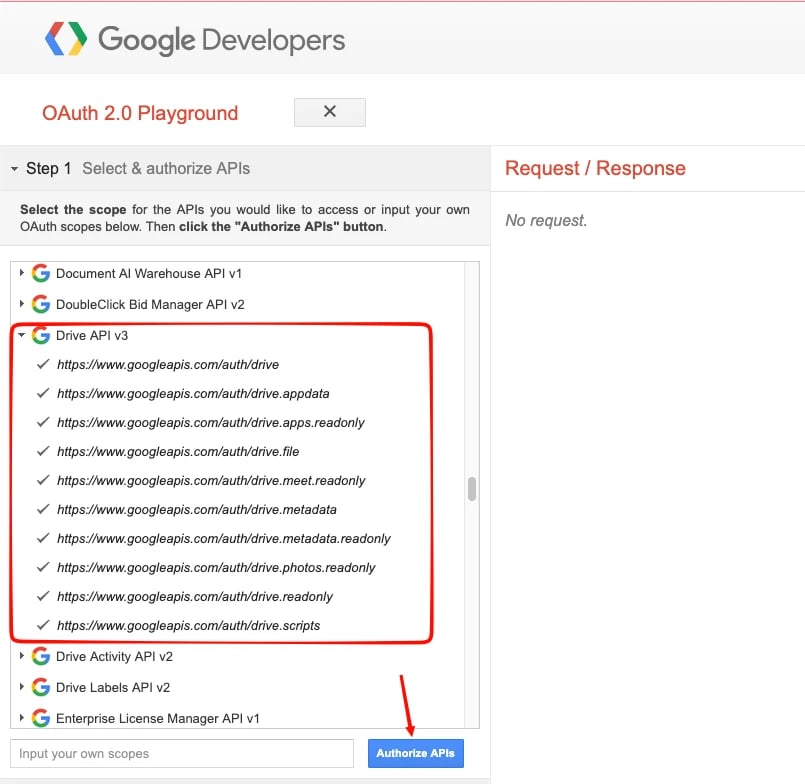
In Step 1, enter this scope in Input your own scopes (or tick only this scope under Drive API v3) and click Authorize APIs:
The extension makes only two Google Drive calls: it lists the Google Docs files in your Drive and exports a Doc as HTML. Read-only access is enough, so do not select the other Drive scopes.
-
In Step 2, click Exchange authorization code for tokens. Copy the Refresh token (it starts with
1//). Do not copy the Access token.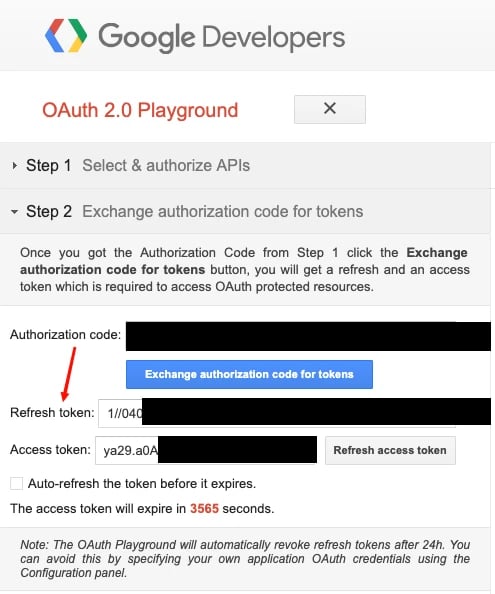
Refresh token validity
Access token and refresh token
The OAuth Playground shows two tokens:
The countdown in the Playground is for the access token only. When it reaches zero, the extension keeps working. You do not need to generate a new token.
When the refresh token stops working
Google stops accepting the refresh token in these cases:
To avoid the 7-day limit, set the publishing status to In production in the Google Cloud console (Google Auth Platform › Audience, in older consoles OAuth consent screen). The 24-hour limit mentioned in the OAuth Playground does not apply, because you use your own OAuth credentials (step 8).
Generate a new refresh token
When the refresh token has stopped working, the Google Docs module lists no Docs or shows an error.- Repeat steps 7 to 10 above to get a new refresh token.
- Replace the old value in Google Refresh Token in the Global Settings and save.