

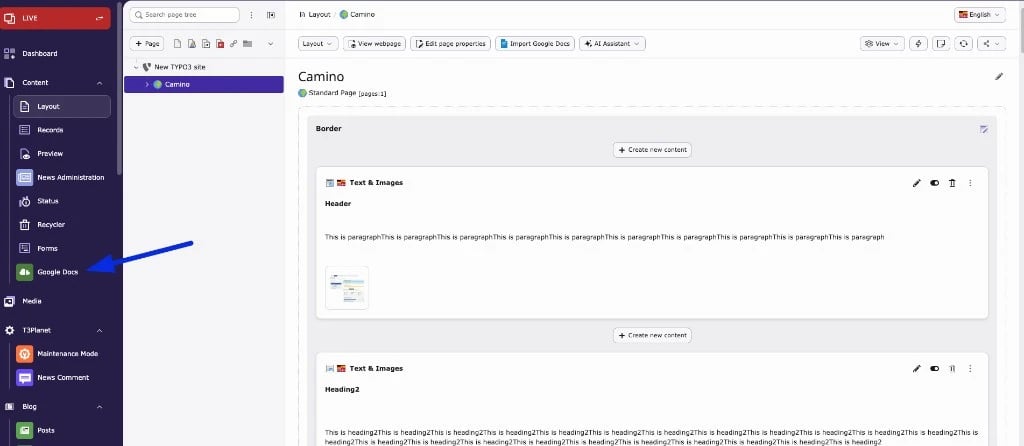
Dashboard
- Shows your latest three imports, with links to the Doc and the TYPO3 page
- Shows the step-by-step instructions for importing into pages, blog posts and news
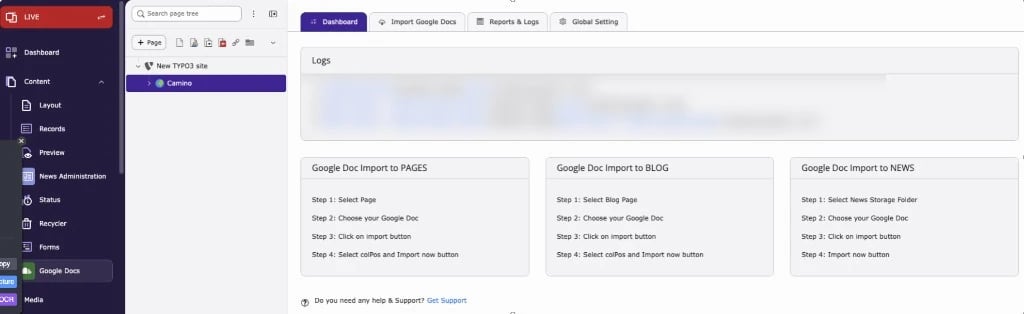
Import Google Docs
- Lists the Google Docs of your connected account, with document name, last modified date, owner and size
- Search (top right) finds Docs by name. It searches up to 1,000 Google Docs of the connected account
- View/Edit Doc opens the Doc in Google Docs
- Import Now opens the import dialog for the selected page (see How to import Google Docs)
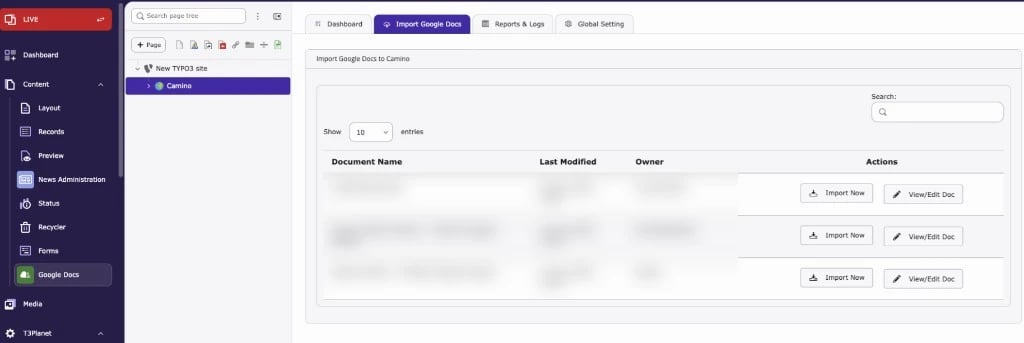
Reports & Logs
- Lists every import: import type (TYPO3 Page, Blog Page, News), Doc name, target page or news folder, date and the backend user who imported
- Search and pagination
The screenshot shows page imports, so only View Docs, View Page and Edit Page are visible.
Global Settings
Set these once before your first import. All values are saved for your backend user.Google account
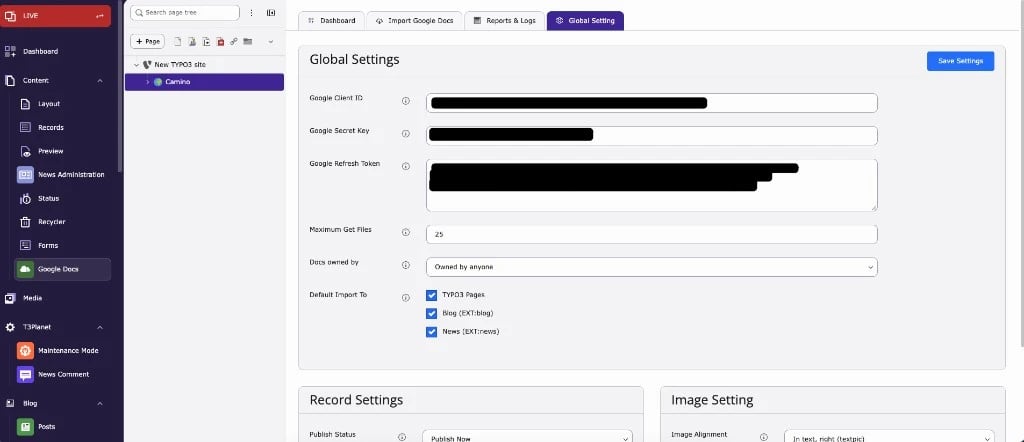
Record Settings
Image Setting
Used for Text & Image and Image Only elements.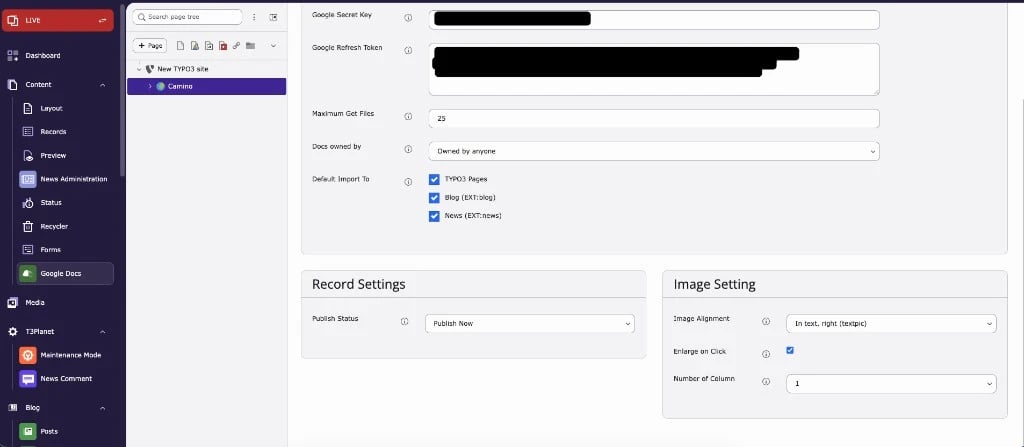
The image settings are stored on the content element. How they look on the frontend depends on your site package or theme CSS for Fluid Styled Content (classes such as
ce-left, ce-intext, ce-column).