

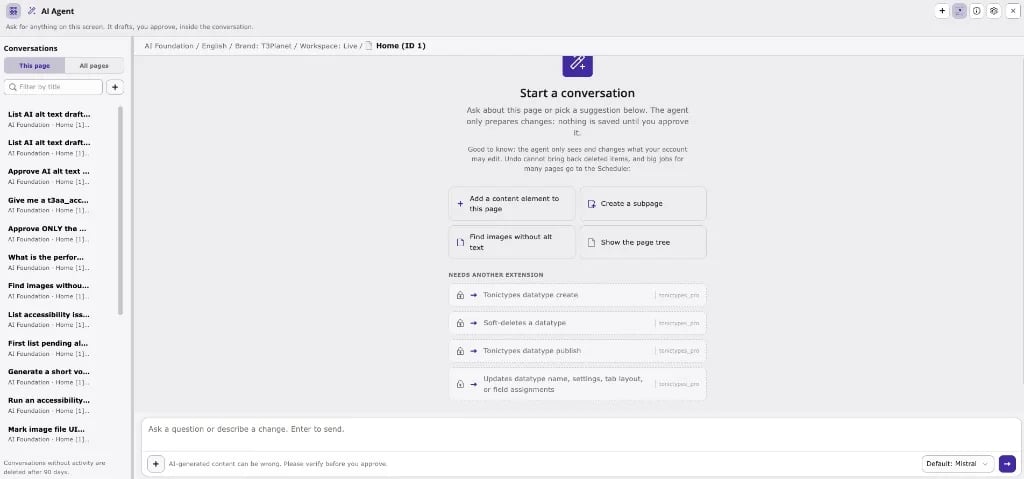
ns_t3af). When T3AA (ns_t3aa) is installed with AI Foundation, it adds 14 T3AA MCP tools to the agent: alt text, accessibility scans and issues, Fix Hub suggestions, PageSpeed, content summary, and voice-over.
The chat window, providers, preview/Apply flow, and keyboard shortcut are part of AI Foundation. T3AA only adds the accessibility tools. For the shared UI chrome, see AI Foundation: Ask AI agent.
Agent chat vs the AI Accessibility module
Both paths use the same T3AA business logic. Prefer the agent when you want a quick, page-scoped request; prefer the module for bulk queues, dashboards, and long-running jobs.
Get started in three steps
1
Select the page
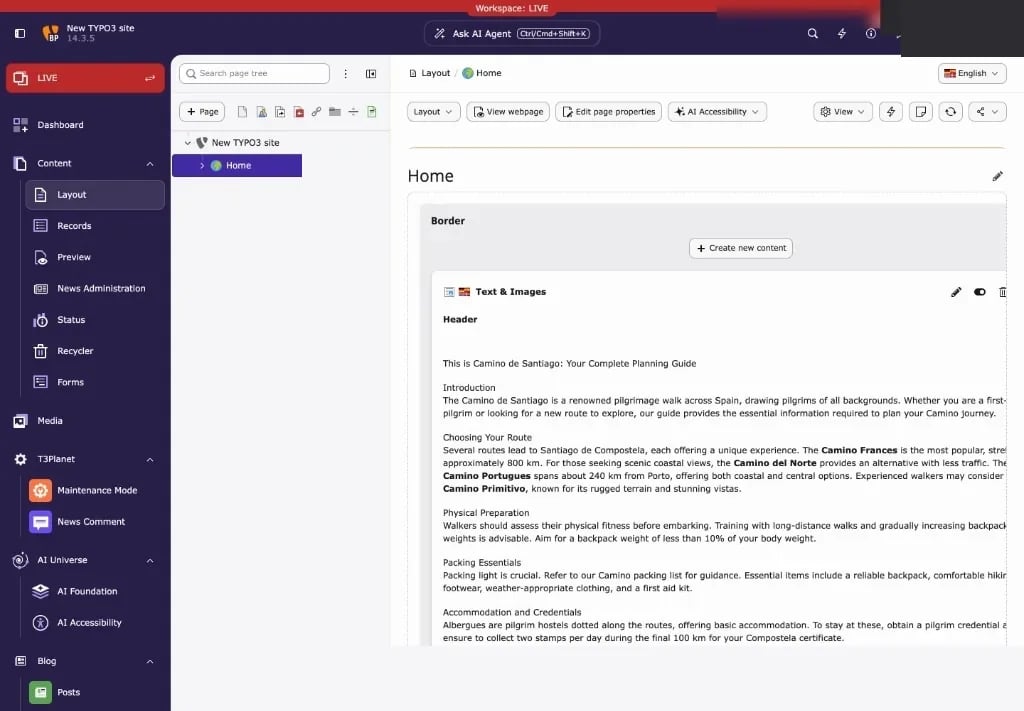
Select the page you want to work on in the page tree, for example in Content > Layout. The AI agent uses this page as its context.
2
Click Ask AI Agent
Click Ask AI Agent in the center of the backend top bar, or press
Ctrl/Cmd+Shift+K. The AI agent window opens on top of the page.3
Ask, review, apply
Type your request, for example “Which images have no alt text?”, and press Enter. For a change, review the preview card, then click Apply to save it or Cancel to discard it.
Read the pages in this order
Related
- AI Foundation: Ask AI agent: UI, settings, and AI Agent module tabs.
- Feature Guide: Dashboard, AI Alt Text, Scanner, Fix Hub, Voiceover, and other module workflows.
- AI Foundation MCP Server: use the same T3AA tools from Cursor, Claude Desktop, or other MCP clients.